How to Close the AI Agent Cost Gap at the Call Site
The cost gap between what an AI agent could cost and what it does cost is 40%. You close it at the call site, not in a dashboard. Here is how.
TL;DR
- The cost gap between the happy path and the production bill is 40% apart for most teams, sometimes worse.
- The gap lives in retries, context bloat, and model overkill. Three retries on a 20,000-token context is 60,000 tokens for one logical operation.
- Put a budget check right before the API call. A 5 cent per-ticket cap stops an 80-cent retry loop before the invoice arrives.
- Summarize old context once and cache it. A 20,000-token history becomes a 2,000-token summary plus the last two turns.
Related guides
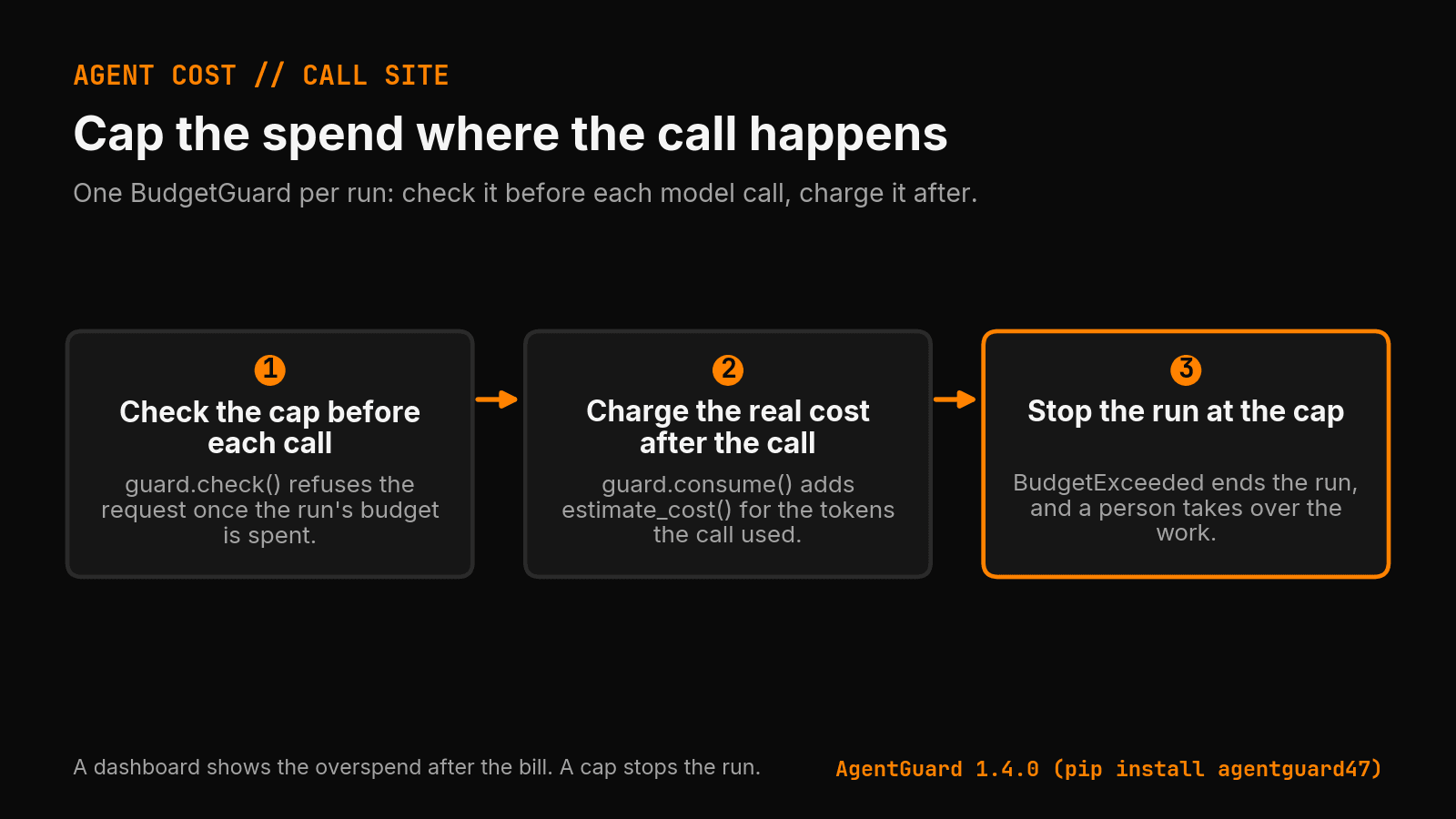
The AI agent cost gap is the difference between what an agent could cost and what it does cost in production. You close it at the call site: a dollar cap in your code, checked before each model call and charged after it. A dashboard only shows the gap after you paid for it.
Correction, October 1, 2026: An earlier version of this post gave the wrong install command and used a Budget class that AgentGuard does not have. The package on PyPI is agentguard47. You import it as agentguard. Every code sample below now uses the real BudgetGuard API, and each one runs against AgentGuard 1.4.0.
Where does the 40% come from? Bain published a survey of 951 companies on June 1, 2026. Nearly 40% of the companies that measured their AI cost savings landed in the 0% to 10% band. They paid for savings that did not show up. Your own gap is a number you measure, and the rest of this post shows where to look.
Where does the money leak?
Before you fix anything, find the leaks. I see three.
First, retries. An agent fails a step, tries again, fails again, tries again. Each retry sends the full prompt. Three retries on a 20,000-token context send 60,000 more input tokens for one logical step.
Second, context bloat. Many agents send the whole conversation history on every call. By turn 15 you pay to send turns 1 through 14 again, on every call.
Third, model overkill. The agent sends a one-line lookup to the most expensive model because that is the model in its config. Route short lookups to a small model, and keep the large one for the steps that need it.
How do you cap spend at the call site?
Put the budget check next to the API call, not in a monthly report.
Say you run an agent that answers support tickets. You want each ticket to cost no more than 5 cents in model spend. Right now you learn what a ticket cost when the bill arrives.
from openai import OpenAI
from agentguard import BudgetExceeded, BudgetGuard, estimate_cost

client = OpenAI()
MODEL = "gpt-4o-mini"


def call_model(prompt, guard):
    guard.check()  # refuse the call if this run's cap is already spent
    response = client.chat.completions.create(
        model=MODEL,
        messages=[{"role": "user", "content": prompt}],
    )
    usage = response.usage
    guard.consume(
        tokens=usage.total_tokens,
        calls=1,
        cost_usd=estimate_cost(MODEL, usage.prompt_tokens, usage.completion_tokens),
    )
    return response.choices[0].message.content


def handle_ticket(ticket_text):
    guard = BudgetGuard(max_cost_usd=0.05)  # 5 cents per ticket, hard stop
    try:
        plan = call_model(f"Plan a reply to this ticket: {ticket_text}", guard)
        return call_model(f"Write the reply. Plan: {plan}", guard)
    except BudgetExceeded:
        return None  # stop and hand the ticket to a person
consume adds each call's cost to the ticket's total. When the total passes 5 cents, it raises BudgetExceeded, and no other call for that ticket goes out. The call that crossed the line still bills, so set the cap a little under the most you will pay.
estimate_cost reads the AgentGuard price table. Check that your model is in it. For a model the table does not know, it returns a cost of zero with a warning, and a cap fed zero never trips.
A dashboard reports the overspend after the bill. A call-site cap stops the run at the cap.
How do you cap retries by cost, not count?
A retry count of 3 sounds safe. On a 20,000-token context, three retries are 60,000 more input tokens. Cap the spend, not the attempts. I wrote up a real case in Your AI Agent's Retry Loop Is a Cost Bug Waiting to Happen: a repair agent in my own pipeline failed the same check 27 times in a row.
import json


def get_json(prompt, attempts=5):
    retry_guard = BudgetGuard(max_cost_usd=0.02)  # 2 cents for every attempt together
    for _ in range(attempts):
        text = call_model(prompt, retry_guard)
        try:
            return json.loads(text)
        except json.JSONDecodeError:
            continue  # the next attempt draws on the same 2 cents
    raise ValueError(f"no valid JSON after {attempts} attempts")
Each attempt charges the same guard. A runaway retry loop stops with BudgetExceeded once the attempts together pass 2 cents. Catch it, log it, and move on.
How much does trimming context save?
You rarely need turn 1 on turn 15. Often you need the last few turns plus a short summary of the rest.
Summarize old context once, keep the summary, and send it in place of the raw history. Say the history is 20,000 tokens. Send a 2,000-token summary plus the last two turns, about 4,000 tokens. Input drops from 20,000 tokens to 6,000, a 70% cut on every later call.
Why measure the gap now?
Anthropic filed confidentially for an IPO on June 1, 2026, the same day Bain published its survey. A vendor on its way to public markets has every reason to show the happy-path number. You have every reason to measure the real one.
Know what each agent run costs, and cap it before it runs. You cannot cut a cost you cannot see.
Where should you start?
Pick your most expensive agent. Put a budget around its main loop. Set the cap to what you want a run to cost, not what it costs now. Run it for a day and read what trips the cap. That tells you where your gap lives.
You do not need a quarter-long cost project. You need a cap on one function, and the habit of reading what trips it. For the full setup with tracing and patched OpenAI and Anthropic clients, see AI agent cost control with AgentGuard in Python. For the build and running costs around the model calls, see How much does an AI agent cost in 2026?.
I built AgentGuard for this. It is an open-source runtime budget, token, and rate limiter for AI agents. Install it with pip install agentguard47, then import it with from agentguard import BudgetGuard. The package name and the import name differ, so copy both lines as written.
Accompanying prompt
What the prompt does: It reviews one agent function for the three cost leaks in this post and writes a capped fix for each one.
Copy/paste this prompt:
Copy-ready prompt
Paste the exact block into your coding agent.
No article chrome, no footnotes, no formatting drift.
This prompt and every other one we publish live in the free prompt library.
Copy the block above.
Put a dollar cap on your worst agent first: AgentGuard
FAQ
Why control AI agent cost at the call site?
The call site is where spend starts. Budgets, retry caps, and timeouts there can stop bad loops before a dashboard or monthly invoice notices the problem.
What controls reduce AI agent spend?
Set per-run budgets, max retries, timeouts, rate limits, and loop detection. Log the stop reason so a failed run is reviewable instead of silently expensive.
Get the Local AI Field Kit
Four copy-ready tools now, then one evidence-backed Local AI Lab Note on Friday when there is something worth sharing.
Try the free agent run check firstGet the requested artifact now, then at most one evidence-backed Local AI Lab Note on Friday when there is something worth sharing. One-click unsubscribe. No sponsored placements. Privacy.
Written by
Patrick Hughes
I build BMD and publish measured AI runs, failure reports, and reusable checks. Nashville, Tennessee.
More writing
- 5 min
57-71% of AI Agents Leak Data Between Users. Here's the Fix.
A 2026 Mem0 survey found 57-71% cross-user memory contamination across major agent frameworks. Here is why it happens and how to stop it.
- 5 min
OpenAI's guardrails don't control costs. Here's the gap.
OpenAI shipped guardrails in the Agents SDK last month. They validate behavior. They do not enforce spend. Here is the gap and how to close it.
- 8 min
Stop Runaway LLM Spend: AI Agent Cost Control (Python)
One bad loop and an AI agent burned $200 in minutes. AgentGuard is a Python SDK that enforces hard cost limits at runtime, here is how to ship it.
- 4 min
Missing AI agent cost data is not zero
A spend ledger that counts missing billing data as $0 hides exactly the unattended agent spend you built it to catch.
- 4 min
When JPMorgan's AI bill goes up, who controls it?
JPMorgan turned on AI for 250k people. The quiet line is that the usage racks up fees. Here is how to control the bill before it arrives.