Before you ship an AI agent for a client, prove these 5 controls.
Before you ship an AI agent for a client, prove budget caps, loop detection, alert proof, remote kill, and retained incident history.
TL;DR
- If you build agents for clients, the demo is not the hard part. The hard part is proving the agent will not act stupid at scale. Before a workflow goes live, I want five checks.
- Every agent needs a hard spend limit. A runtime cap. If the agent crosses the line, it stops or degrades. Not a dashboard number after the fact.
- If the input is not changing and the output is not improving, stop. An alert rule is not enough. You need to know if the alert actually delivered: webhook 200, last success, last failure.
- Remote kill should be boring: open dashboard, send kill signal, agent polls, run stops. Keep incident history: what was running, what failed, who saw it, what control fired, what changed after.
I want five pieces of evidence before an agent ships. A budget refusal. A stopped loop. An alert receipt. A kill acknowledgment. An incident record that explains what happened.
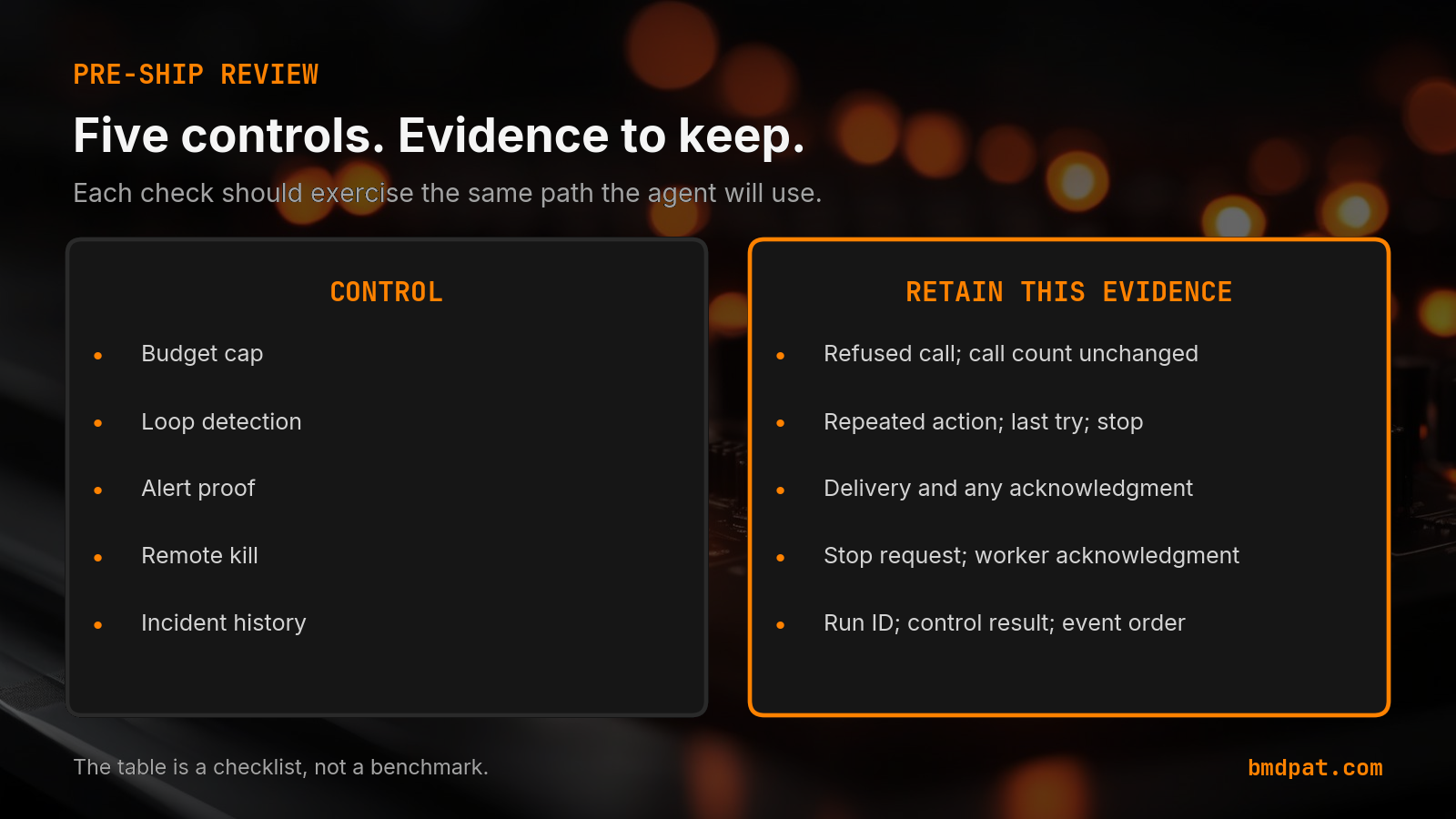
Each check should exercise the same path the agent will use. Save the result with the tested version. This checklist describes the evidence I would ask for. It does not claim that a particular product or deployment already passed.
 Open full-size image (opens in new tab)
What should the release record show?
The release record should connect each control to a deliberate failure and an observed result. Give the reviewer the tested version, the input, the expected behavior and the actual outcome. Include failed cases. A successful demo covers a different question: whether one requested task worked.
My original May 2, 2026 checklist named these five controls. This revision turns each into a check you can run. Start with a small synthetic job and fake external tools. A test double lets you observe whether the runtime tried another call. You can test a refusal without charging an account or sending a real message.
| Control | Evidence to keep |
|---|---|
| Budget cap | Refused call; call count unchanged |
| Loop detection | Repeated action; last try; stop |
| Alert proof | Delivery and any acknowledgment |
| Remote kill | Stop request; worker acknowledgment |
| Incident history | Run ID; control result; event order |
The table is a checklist, not a benchmark. Choose limits for your own job and state them in the test record.
How do you prove the budget cap?
Prove that the runtime refuses the next call when it would exceed the configured limit. Count attempted external calls as well as recorded usage. Test missing cost data separately. Your release record should explain how the runtime treats an unknown amount before allowing more work.
Use a fake provider with known test costs. Give the job enough room for its first call. Make its next requested call exceed the remaining allowance. The check passes when the fake provider sees no second invocation and the run reports a budget refusal.
Then remove the cost observation. Keep that case distinct from a recorded zero. A missing observation should have an explicit policy and an observable result. Our agent cost-control walkthrough covers the call boundary. Confirm the SDK version and supported inputs before adapting an example.
Check the dispatch boundary. A budget guard covers the calls you route through it; a separate tool path may need its own control. Include a direct tool call in your review if the workflow can bypass that boundary.
How do you prove loop detection?
Prove that a repeated action reaches a declared limit and stops before the next external effect. Keep the action identity and input with each attempt. Test a changed input as a separate case so the control can distinguish a retry from a different task.
Have the fake tool return the same failure each time. Configure the allowed attempt count in your test. Record how many invocations occurred, which control fired and what the agent did afterward. A fresh attempt should use the same job identifier; restarting the agent should not quietly reset the evidence.
Also test a productive sequence. For example, supply a new required input after a validation error. The review should show why that sequence can continue. Count limits need a defined scope: one tool, one task, or the whole run. Write down the scope you actually exercised.
How do you check alert delivery?
An alert test should retain the destination's response and state what that response proves. Separate provider acceptance, delivery and human acknowledgment. For a failed delivery, preserve the failure result and the escalation path. A configured recipient alone gives the reviewer no evidence of receipt.
Send a synthetic alert to a local sink. Verify its run identifier and control reason. Then use an authorized test destination for the real transport. Keep secrets and customer text out of the retained message and logs.
A webhook returning success shows that the receiving endpoint accepted the request. An email provider's acceptance record shows acceptance by that provider. Use the delivery evidence your transport offers and name any remaining gap. If you require an operator to respond, test that acknowledgment separately.
How do you prove remote kill?
Prove that a stop request reaches the worker and prevents its next permitted action. Record the request time, acknowledgment and final run state. Exercise the control during useful work as well as between steps. Describe what happens to any request that is already in flight.
Start with a slow fake tool. Request a stop from outside the worker. Let the fake tool finish, then check whether another external invocation occurred. This reveals the boundary the operator can actually control.
A stop request and a stopped worker are separate observations. Keep both. If the runtime only polls between calls, record the resulting delay as a limitation of this test. Also try losing the control connection. The job's behavior under that failure belongs in the release record before someone depends on the button during an incident.
What belongs in the incident history?
Keep enough events to reconstruct the attempted work and the control response. Use a stable run identifier, event order, tested version and explicit outcome. Retain unknown states as unknown. Limit the data to what the investigation needs, with credentials and unnecessary submitted text removed.
Record the triggering action, the guard result, the alert outcome and the stop acknowledgment. Include any follow-up action that changed the result. Restart the local test process and confirm that the retained record still explains the run.
Ask someone who did not watch the test to read it. Can they tell which call was refused? Can they identify the failed delivery? Can they distinguish an acknowledged stop from a pending request? Our guide to verifying an agent's completion claim asks the same question at the task level.
Accompanying prompt
What the prompt does: turns your existing agent workflow into a bounded test plan for these five controls.
Copy/paste this prompt:
Copy-ready prompt
Paste the exact block into your coding agent.
No article chrome, no footnotes, no formatting drift.
This prompt and every other one we publish live in the free prompt library.
Copy the block above.
Bring those five records to the release review. Leave unresolved controls visible.
Inspect the documented runtime controls: https://bmdpat.com/tools/agentguard
FAQ
What are the five pre-ship controls?
Budget cap, loop detection, alert proof, remote kill, and retained incident history.
Why is an alert rule not enough?
You need delivery proof. Did the webhook return 200? Did the email provider accept it? Last success and last failure. If no one gets the alert, the control does not exist.
What does remote kill look like?
A stop button outside the agent process. Dashboard, kill signal, agent polls, run stops. SSH into a box is not ready.
Get the Local AI Field Kit
Four copy-ready tools now, then one evidence-backed Local AI Lab Note on Friday when there is something worth sharing.
Try the free agent run check firstGet the requested artifact now, then at most one evidence-backed Local AI Lab Note on Friday when there is something worth sharing. One-click unsubscribe. No sponsored placements. Privacy.
Written by
Patrick Hughes
I build BMD and publish measured AI runs, failure reports, and reusable checks. Nashville, Tennessee.
More writing
- 4 min
The CrewAI demo worked. Then the tool call retried 913 times.
The demo worked. Then the same CrewAI tool call retried until the run became an operator problem.
- 6 min
How to Close the AI Agent Cost Gap at the Call Site
The cost gap between what an AI agent could cost and what it does cost is 40%. You close it at the call site, not in a dashboard. Here is how.
- 6 min
The AI Whirlwind: Why Your Local Agent Matters More Than Ever
Amidst the big tech AI boom and new policy discussions, discover why building ethical, autonomous AI agents on consumer hardware is critical. Explore practical engineering insights and Python tips for true local control.
- 4 min
One Agent Skill, Three Registries: PyPI, Claude, and skills.sh
Agent skills are becoming a distribution layer for developer tools. The practical move is one source package that can show up in PyPI, Claude-style skills, and skills.sh.
- 4 min
Your AI agent does not need observability. It needs a kill switch.
A trace tells you what happened. A kill switch changes what happens next.