Pin Your Context Window or Pay the Reload Tax
Change num_ctx in Ollama and it reloads the whole model. On my RTX 5090 that meant 140 seconds of dead air per context swap. Here is how to stop paying it.
TL;DR
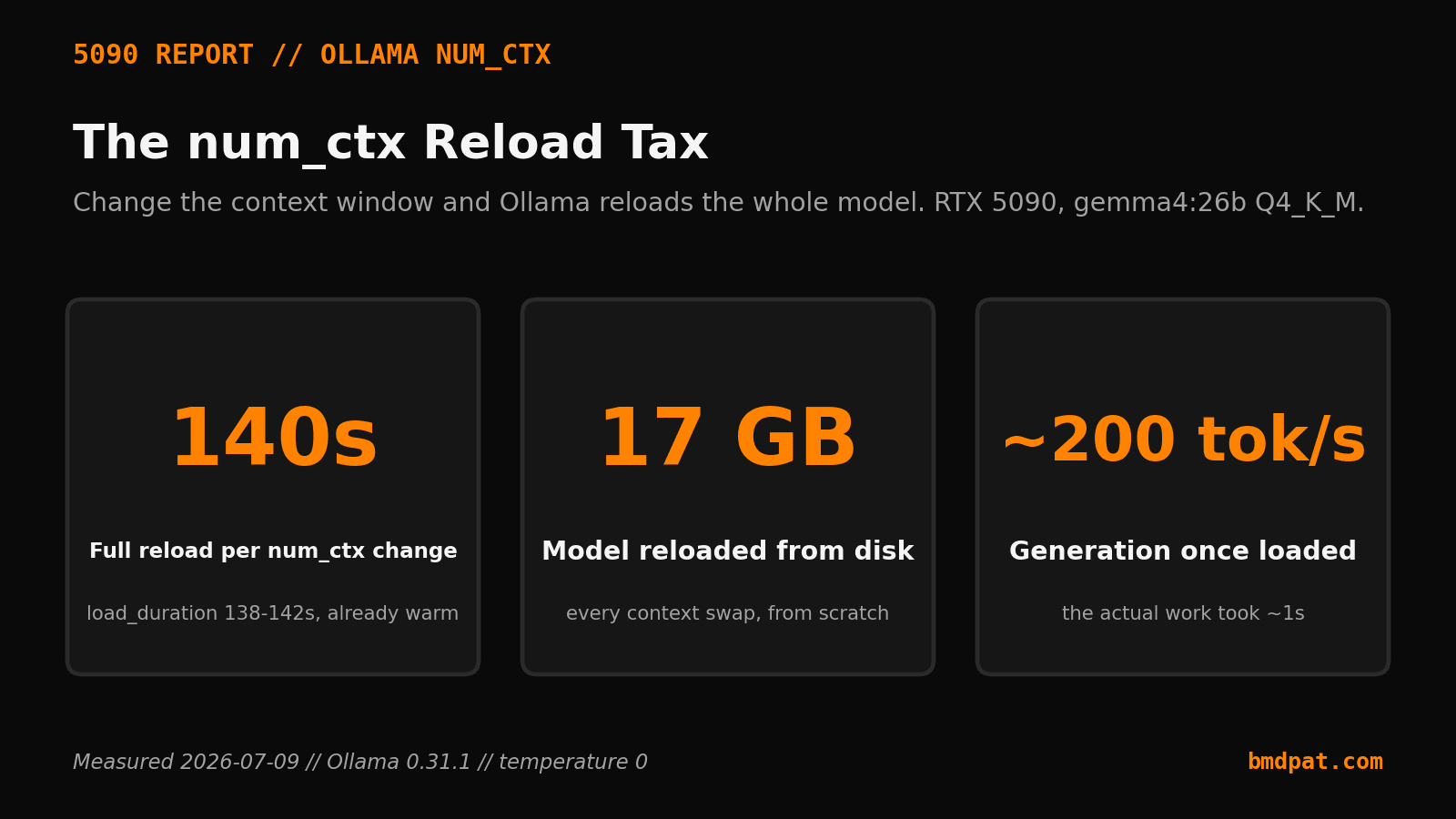
- Ollama reloads the entire model when you change num_ctx. On an RTX 5090, gemma4:26b took about 140 seconds to reload every time num_ctx changed. Generation itself ran near 200 tokens per second.
- gemma4:26b is a 17 GB file at Q4_K_M. Each reload took between 138 and 142 seconds. The sweep bumped num_ctx from 4096 to 8192 and back down again.
- Once loaded, gemma4:26b generated at about 198 to 207 tokens per second. A 256-token answer is done in under two seconds. The reload before it took about 140 seconds.
- Pick one context size and pin it. A fixed 8192 that loads one time beats a smart window that reloads on every other request.
I changed one setting on a local agent and it went silent for 140 seconds.
No output. No error. Just a fan spinning up while a 17 GB model reloaded from disk. The actual answer, once the model was back, took under two seconds to generate. I had paid a two-minute tax for a two-second task.
The short version: Ollama reloads the entire model when you change num_ctx, the context window size. On my RTX 5090, gemma4:26b took about 140 seconds to reload every time num_ctx changed. Generation itself ran near 200 tokens per second. Pin num_ctx once and the tax goes away.
Why did my local model freeze for 140 seconds?
I was benchmarking two models on one card: an RTX 5090 running Ollama 0.31.1. The sweep sent three workloads to each model, and one of them used a longer context, so my script bumped num_ctx from 4096 up to 8192 and back down again.
Every one of those changes forced a full model reload. gemma4:26b is a 17 GB file at Q4_K_M. Each reload took between 138 and 142 seconds. Same model, same GPU, already warm. The only thing that changed was the context number, and that was enough to send the whole thing back to disk.
What actually triggers the reload?
The context window is not a runtime knob you can turn for free. Ollama allocates the KV cache when it loads the model, and the cache size depends on num_ctx. Change num_ctx and the previous allocation no longer fits, so the runtime tears the model down and loads it again from scratch.
This is easy to trigger by accident. An agent that sets context per request, a script that summarizes long documents then answers short questions, a chat loop that grows its window as the conversation runs. Each of those can flip num_ctx without anyone deciding to, and each flip is a fresh reload.
How much does the reload cost?
The numbers from that run are blunt. gemma4:26b generated at about 198 to 207 tokens per second once it was loaded. A 256-token answer is done in under two seconds. The reload before it took about 140 seconds.
So the model spent roughly 98 percent of that request loading and 2 percent working. There is a second, smaller tax hiding in the same place. The first prompt evaluation right after a load is a cold-start artifact: gemma's first reading measured 15 tokens per second, and the very next request hit 6,179. If you reload constantly, you also eat that cold start every single time.
How do I stop paying the tax?
Pick one context size and pin it. Decide the largest window your workload actually needs, set num_ctx to that value once, and never change it mid-session. A fixed 8192 that loads one time beats a "smart" window that reloads on every other request.
In practice that means setting num_ctx at model load and leaving it. If different jobs genuinely need different windows, keep a separate warm model per window instead of retuning one. The reload is the expensive part. Paying it once at startup is fine. Paying it every few requests is the whole problem.
What does this mean for a local coding agent?
This is the trap for anyone running an agent loop on a local model. Agent stacks love to adjust context. They pad the window for a big file, shrink it for a quick tool call, grow it as history accumulates. On a small 8B model the reload is quick enough to ignore. On a 17 GB model it is a 140-second stall in the middle of your loop, and the agent has no idea it is waiting on I/O instead of thinking.
June 12 I had this exact failure and did not understand it. A gemma4:26b run timed out at a 5-second limit. A 5-second timeout can never survive a 140-second load. The fix was not a faster GPU. It was pinning the context so the model stopped reloading.
What do you cap after you pin the context?
Pinning num_ctx removes one hidden cost. It does not remove the other one: an agent looping on that model with no ceiling. A local agent that retries in a tight loop burns GPU time and wall-clock the same way a stray reload does, except it can run until you notice.
So I put a hard limit around the loop. Before a local agent runs, I give it a budget, a token cap, and a rate limit, so one bad loop stops itself. That is what AgentGuard does: runtime budget, token, and rate limits for AI agents, in one pip install. Pin the context so the model stops reloading. Cap the loop so the agent stops running. Two different meters, same discipline: find the hidden cost, then put a hard limit on it.
Accompanying prompt
What the prompt does: It reviews how your local agent or script sets the context window and flags any place that would force Ollama to reload the model mid-run.
Copy/paste this prompt:
Copy-ready prompt
Paste the exact block into your coding agent.
No article chrome, no footnotes, no formatting drift.
This prompt and every other one we publish live in the free prompt library.
Copy the block above.
Two minutes of pinning beats 140 seconds of dead air on every context change. Cap the reload by pinning num_ctx, then cap the agent with AgentGuard. Predict the hidden cost, then put a hard limit on it. That is the whole habit.
FAQ
Why did the local model freeze for 140 seconds?
Changing num_ctx forced a full model reload. gemma4:26b is a 17 GB Q4_K_M file. Each reload took 138 to 142 seconds. The answer then took under two seconds.
What actually triggers the reload?
Ollama allocates the KV cache when it loads the model, and cache size depends on num_ctx. Change num_ctx and the previous allocation no longer fits, so the runtime tears the model down and loads it again.
How do you stop paying the tax?
Decide the largest window the workload needs, set num_ctx once, and never change it mid-session. If jobs need different windows, keep a separate warm model per window.
Get the Local AI Field Kit
Four copy-ready tools now, then one evidence-backed Local AI Lab Note on Friday when there is something worth sharing.
Try the free agent run check firstGet the requested artifact now, then at most one evidence-backed Local AI Lab Note on Friday when there is something worth sharing. One-click unsubscribe. No sponsored placements. Privacy.
Patrick Hughes
I build BMD and publish measured AI runs, failure reports, and reusable checks. Nashville, Tennessee.
More writing
- 6 min
Pin Your Local LLM Context Size Before You Build a Router
Changing context size can reload a local model before every request. A measured RTX 5090 sweep shows why context belongs in the routing key.
- 6 min
Preview Retrieval Before Your Local LLM Runs
Preview the files your local LLM will receive before inference. This simple gate catches bad retrieval while the fix is still cheap and clear.
- 5 min
My Local Blog Writer Drops Private Lines First
My local blog writer reads a daily log. I remove private lines before drafting, then check the output again. Here is what those checks can miss.
- 5 min
Ollama JSON: Empty Results Are Not Failed Requests
An empty Ollama result can mean no matches or a broken request. I test the response parser so local extraction failures cannot pass as clean results.
- 5 min
Log Local LLM Fallbacks Before You Score the Output
My local writer hit a host RAM guard, then Sonnet produced a draft that failed QA. Here is how I separate availability, model identity, and useful output.