I split crawler hits from my human sessions
On 2026-09-27, I fixed my traffic counter after bot rows inflated human sessions. I also shipped showwork 0.6.5 on PyPI with problem-first copy.
On 2026-09-27, crawler hits distorted my web traffic counts. Bot rows were inflating human session numbers in traffic-compounder. The report listed 262 bot events and 206 human sessions in separate rows. The morning brief had reported a paused push. I updated that reporter and the morning brief so they state measured trends and do not make push-pause claims.
On 2026-09-27, several checks stayed red beside the work that shipped. Blog Daily Healer hit 1 timeout during publication. A rescue run recovered the page, but outcome coverage stayed red at 69/73. Four tasks failed in that run, with 0 uncovered. gitleaks scanned 0 of 5 repositories because a volume was not mounted. A green result on 0 repositories is not proof the system is safe. Then I patched traffic-compounder so the report lists bot rows and human sessions apart.
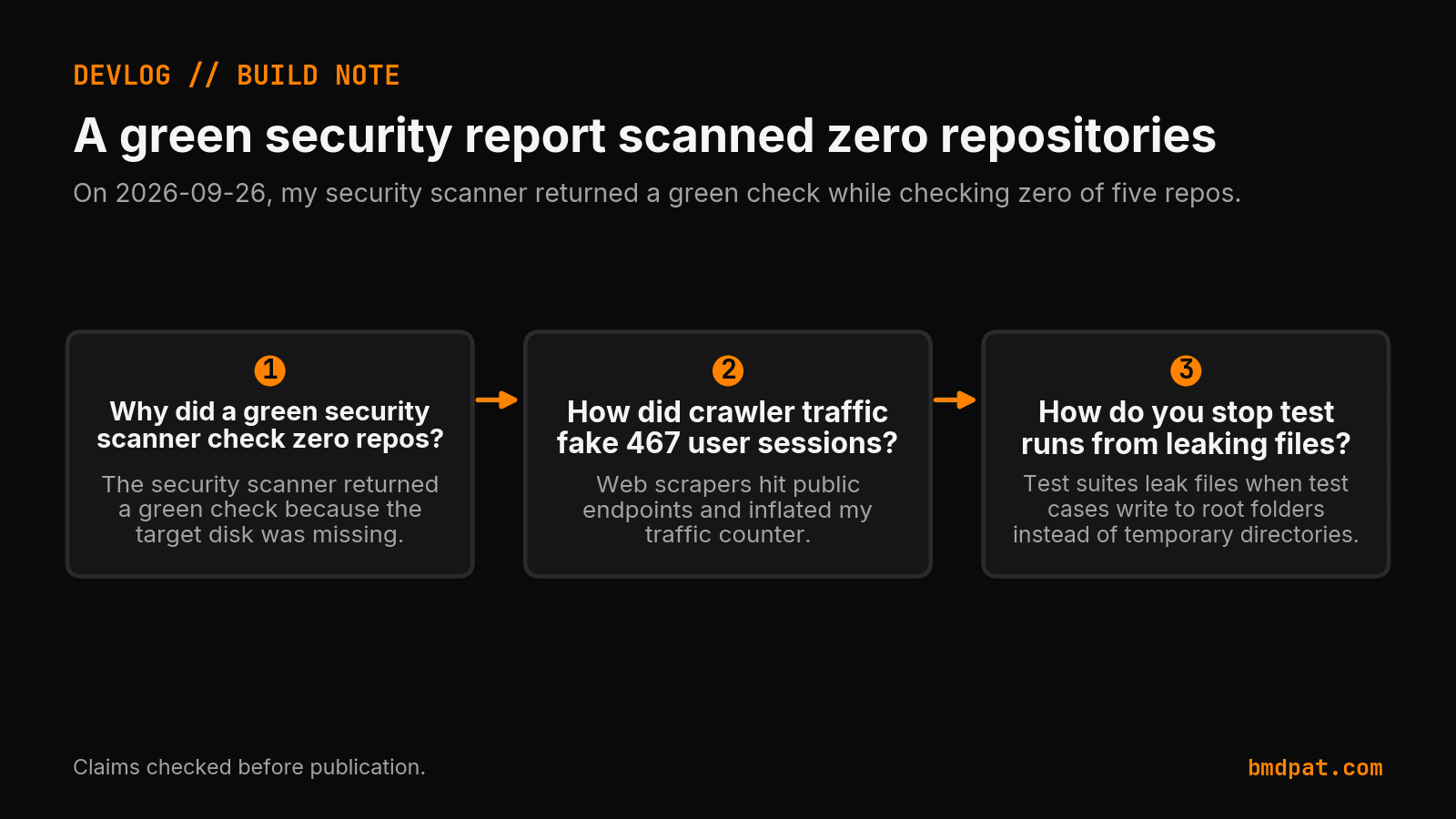
That graphic is the 2026-09-26 note. It also warns that test runs can leak files. It does not show the 262 bot rows or the 206 human sessions from 2026-09-27.
Why did bot traffic distort the session count?
Automated crawlers hit the site and created 262 raw event rows on 2026-09-27. The old code counted those pings as real human visits. Separating the two streams revealed 206 actual human sessions. You must split bot noise at ingest or your analytics will lie.
The 2026-09-27 report listed those two counts in separate rows. I do not know whether they previously shared one table. The fact I can stand on is the split, not a guessed schema. Here is what the counts showed on 2026-09-27:
| Traffic source | Raw count on 2026-09-27 | Action taken |
|---|---|---|
| Bot crawler events | 262 | Listed in a separate row |
| Real human sessions | 206 | Listed in a separate row |
Those 206 sessions represent activity, not product retention. I still do not know if those visitors returned for a 2nd run. You should verify what an agent actually produced before relying on automated summaries. If your data collector bundles 1 bot with 1 user, your growth metric is fiction.
Why rewrite tool docs around user problems?
Internal field names make sense to the developer who wrote the database schema. They tell a reader nothing about what the code fixes. On 2026-09-27, I rewrote the release copy for showwork 0.6.5 to state user problems first. Good documentation explains what breaks when you do not run the tool.
I asked what problem showwork solved. The early draft answered with internal record names. I could not tell what those words meant for an external developer. I rejected that draft and asked for 1 concrete example. At 16:19 on 2026-09-27, I approved the revised copy and release steps. Then I published version 0.6.5 to PyPI.
You can install the updated release with 1 terminal command:
pip install showwork==0.6.5
When building agent pipelines, give an agent a file, not a memory to stop 1 common failure. If you use BMD, see what your agents actually did across 1 run. Clear words in 1 package release protect users from guessing.
How did background workers handle failed checks?
Brain Worker left 2 checks failed on 2026-09-27. The logs kept those limits visible. You must record unverified runs honestly instead of assuming green results.
The nightly sweep on 2026-09-26 merged 2 PRs and opened 7. Brain worker triage found 4 agent tasks and 2 auto-tonight cards. Reports/Weekly/synthesis-2026-39.md shipped as scheduled on 2026-09-27. Reports/Brain/prompt-evolver-2026-09-27.md logged 0 suggested edits and 0 patterns. The outcome-coverage metric remained red at 69/73 with 4 failed tasks. On 2026-09-27, one P0 credential Request was due to expire, and two exposed credentials still needed rotation. The devlog does not say that rotation finished.
The blog needed repair before it reached readers on 2026-09-27. Blog Daily Healer recorded 1 timeout before frontier rescue recovered publication. The final receipt named the article, its publication time, and a matching page response. I can keep that 1 result without turning the whole day green.
That same report says the AgentGuard reporting fix passed 17 focused tests, while the full follow-up suite remained pending. The security scanner still called 0 repository coverage clean. My record has to hold those 2 limits beside the release. Clear words and honest counts are part of the product I am trying to build.
What should you do with this?
You can protect your project by auditing incoming logs and verifying true agent output. Check whether bot rows inflate your session counts before reporting active usage. Rewrite your documentation around 1 real user failure instead of internal database columns. Keep your failed test counts visible so your dashboards stay honest.
- Inspect your access logs for automated bot traffic. Look for user-agent strings that spike your row count by 100 events or more. Separate those crawlers into an isolated table before computing daily active sessions.
- Review your latest tool release notes in
README.md. Replace 3 internal parameter names with the exact problem your user faces. If a user cannot tell what broke, rewrite the explanation. - Audit your automated health checks against 1 real repository. If a scanner reports a clean score on 0 scanned repositories, mark the run red. Never accept a passing status code without proof of work.
Accompanying prompt
What the prompt does: This prompt audits incoming web logs and separates crawler events from real human sessions.
Copy/paste this prompt:
Copy-ready prompt
Paste the exact block into your coding agent.
No article chrome, no footnotes, no formatting drift.
This prompt and every other one we publish live in the free prompt library.
Copy the block above.
See what your agents did: https://bmdpat.com/bmd
Get the Local AI Field Kit
Four copy-ready tools now, then one evidence-backed Local AI Lab Note on Friday when there is something worth sharing.
Try the free agent run check firstGet the requested artifact now, then at most one evidence-backed Local AI Lab Note on Friday when there is something worth sharing. One-click unsubscribe. No sponsored placements. Privacy.
Patrick Hughes
I build BMD and publish measured AI runs, failure reports, and reusable checks. Nashville, Tennessee.
More writing
- 5 min
My security scanner reported green on zero repos
On 2026-09-26, three checks passed with clean exits while hiding broken work: empty scans, crawler traffic, and leaking tests. Here is what to audit.
- 5 min
A green check lied, so I built append-only status
On 2026-09-25, a false green report buried a real fix. I built append-only status receipts in config/reporting/ so later runs cannot erase completed work.
- 4 min
I built refusals into my claim recorder
On September 23, I added write-time checks to my agent claim recorder. Six bad rows needed retraction. Here is what those checks can and cannot prove.
- 5 min
Ten Merges, One Dead Disk, Four Fake Green Signals
On 2026-09-19 I merged ten PRs into BMD desktop while a dead disk faked four green signals across the fleet. Here is what broke and what shipped.
- 5 min
I dropped the BMD kill date and named it flagship
On 2026-09-21, I removed the October 1st kill date for BMD. I also shipped bmd-desktop 3.47.15 and fixed a clipboard bug in bmdpat.