My security scanner reported green on zero repos
On 2026-09-26, three checks passed with clean exits while hiding broken work: empty scans, crawler traffic, and leaking tests. Here is what to audit.
On 2026-09-26, my security scanner reported green on zero repositories. The storage volume was unmounted for 31 days. The script saw no files to inspect. It raised no errors and gave me a clean pass anyway. That green signal was false. The missing drive also blocked automated receipts across the trading fleet. It was not the only metric hiding a failure behind a clean status code that morning.
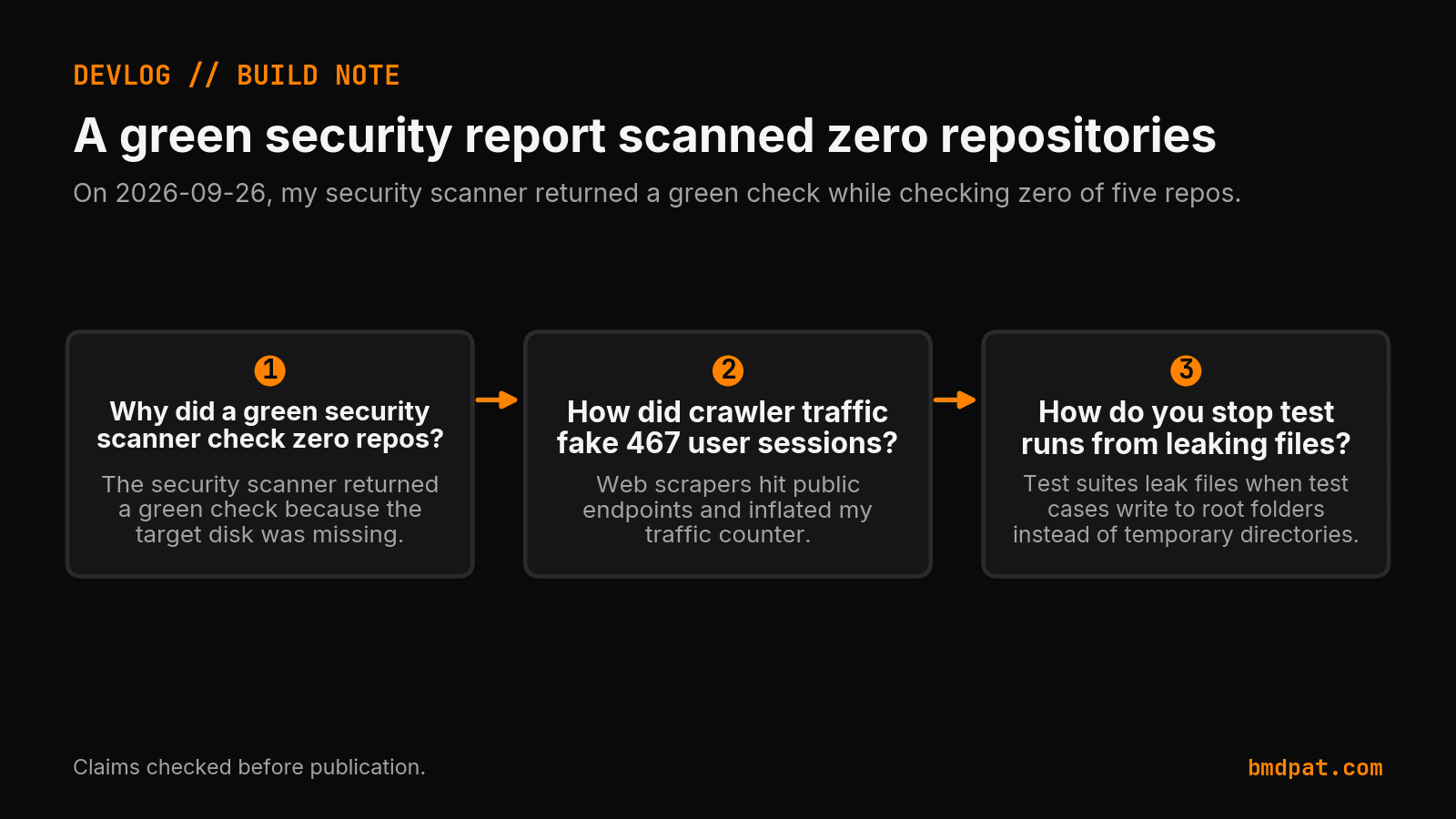
I caught the phantom pass during my morning audit on 2026-09-26. Three separate automated systems gave me false confidence because green status codes masked missing inputs or leaked state: an empty security scan, web scrapers counted as real readers, and unit tests passing while writing files outside scratch space.
Why did a broken scanner report zero vulnerabilities?
The scanner checked zero repositories on 2026-09-26 because its target storage volume was unmounted. The SecurityAnalyst summary carried 0 P0 issues and 11 existing P2 items from the issue tracker. But the file check loop itself inspected zero files. The script looked for missing paths, caught no syntax errors, and exited zero. An unmounted path produced an empty loop and logged zero new findings instead of failing hard.
When a background job reports green, you still have to verify what ran. A clean status without files is an error. On 2026-09-26, a green check lied, so I built append-only status. The scanner logged success on 2026-09-26 simply because the process did not crash. Green exit codes mean nothing when the target path is empty.
Why were crawler hits counted as user visits?
The same silent failure pattern showed up in my traffic numbers that afternoon. A successful request status does not prove human intent. Web scrapers hit public endpoints and recorded 467 total sessions on 2026-09-26. The analytics counter lacked a bot filter and treated automated pings as real users. A subsequent audit showed only 147 human sessions occurred during that entire measurement window.
The morning wins email called 467 sessions a jump on 2026-09-26. Only 15 to 150 events were real human visits. Two of four repeat sessions were just clicks inside one visit. Activity inside a single visit does not mean people returned. I built a bot split in traffic-compounder to stop scrapers from inflating metrics.
Here is how the numbers changed after the audit on 2026-09-26:
| Metric | Raw count | Audited count |
|---|---|---|
| Recorded sessions | 467 | 147 |
| Repositories scanned | 5 in scope | 0 inspected |
| Clean security verdicts | 1 reported | 0 valid |
Where did the test suite write unauthorized files?
The third silent gap hit the test suite. Every unit test passed with a zero exit code, but they polluted the repository while running. Several automated unit tests wrote persistent artifacts outside temporary directories on 2026-09-26. The test runner dumped output files directly into the repository working tree instead of sandboxed scratch folders.
To fix this, I committed four leak patches on main on 2026-09-26 to enforce strict temporary directories across the test suite. A nightly sweep on 2026-09-26 flagged seven drift issues, including line drift in src/app/blog/(index)/page.tsx for issue 1501.
To keep state persistent and audit runs without polluting git, my agents have to prove what they did. On 2026-09-26, I ran config/claims/check.py to confirm 95 of 115 claims. I ran config/run-llama-cpp-flag-watch.ps1 to log a missing run in the ledger. My brain worker shipped seven tasks at 21:18 on 2026-09-26.
What did these corrections mean for my build?
All three issues shared the same failure mode: software reporting green status without verifying that inputs existed or constraints held. The choices on 2026-09-26 gave my setup tighter limits and accurate session tallies. I kept the code that shipped alongside the gaps that stayed open. Accurate accounting did not prove buyer demand or save engineering hours. It stopped me from mistaking crawler traffic and empty security scans for real progress.
What should you do with this?
You should audit your silent checks before trusting zero-failure reports. Add pre-execution target checks to your automated jobs. Separate bot sessions from real reader traffic before reporting conversion metrics. Isolate test runner writes to ephemeral paths so zero phantom files enter production trees.
- Verify target paths exist before running scans. Check directory handles before looping. If an external drive or target folder is missing, exit 1 immediately instead of passing an empty set.
- Separate bot traffic from human sessions in analytics pipelines. Add sample gates on session counts. Treat 467 raw hits with skepticism until user agent filters confirm human interactions.
- Restrict test suite file writes to isolated temporary directories. Enforce zero unauthorized writes outside temporary scratch storage so test artifacts never enter git.
Accompanying prompt
What the prompt does: Audits an automated pipeline job or test script to verify target inputs exist and prevent false green passes on empty runs.
Copy/paste this prompt:
Copy-ready prompt
Paste the exact block into your coding agent.
No article chrome, no footnotes, no formatting drift.
This prompt and every other one we publish live in the free prompt library.
Copy the block above.
Weekly measured local runs: https://bmdpat.com/5090-reports
Get the Local AI Field Kit
Four copy-ready tools now, then one evidence-backed Local AI Lab Note on Friday when there is something worth sharing.
Try the free agent run check firstGet the requested artifact now, then at most one evidence-backed Local AI Lab Note on Friday when there is something worth sharing. One-click unsubscribe. No sponsored placements. Privacy.
Patrick Hughes
I build BMD and publish measured AI runs, failure reports, and reusable checks. Nashville, Tennessee.
More writing
- 5 min
A green check lied, so I built append-only status
On 2026-09-25, a false green report buried a real fix. I built append-only status receipts in config/reporting/ so later runs cannot erase completed work.
- 4 min
I built refusals into my claim recorder
On September 23, I added write-time checks to my agent claim recorder. Six bad rows needed retraction. Here is what those checks can and cannot prove.
- 5 min
Ten Merges, One Dead Disk, Four Fake Green Signals
On 2026-09-19 I merged ten PRs into BMD desktop while a dead disk faked four green signals across the fleet. Here is what broke and what shipped.
- 5 min
I dropped the BMD kill date and named it flagship
On 2026-09-21, I removed the October 1st kill date for BMD. I also shipped bmd-desktop 3.47.15 and fixed a clipboard bug in bmdpat.
- 4 min
My sandbox passed two tests. The full run was unproven.
I repaired a Windows agent launcher on September 17. Shell commands and two tests passed. That still did not prove the whole nightly queue could finish.