VRAM Fit Is Not Runtime Support
A local model can fit in VRAM, download cleanly, and still fail before the first token. My 5090 test adds runtime support as a separate gate.
TL;DR
- A 2.7 GB Nanbeige4.2-3B GGUF downloaded and registered on an RTX 5090 with 32 GB of VRAM. Ollama then stopped at model load with unknown model architecture: 'nanbeige'.
- The Q4_K_M file downloaded and appeared in the local model list. The request failed when Ollama tried to start its llama-server process. Q5_K_M failed at the same stage.
- Laguna S2.1 BF16 files total roughly 250 GB. Its smaller MXFP4 MoE build is split across three shards. That path did not build on this Windows host because the C toolchain was absent and WSL was unavailable.
A model can fit in your GPU memory and still fail before it produces one token.
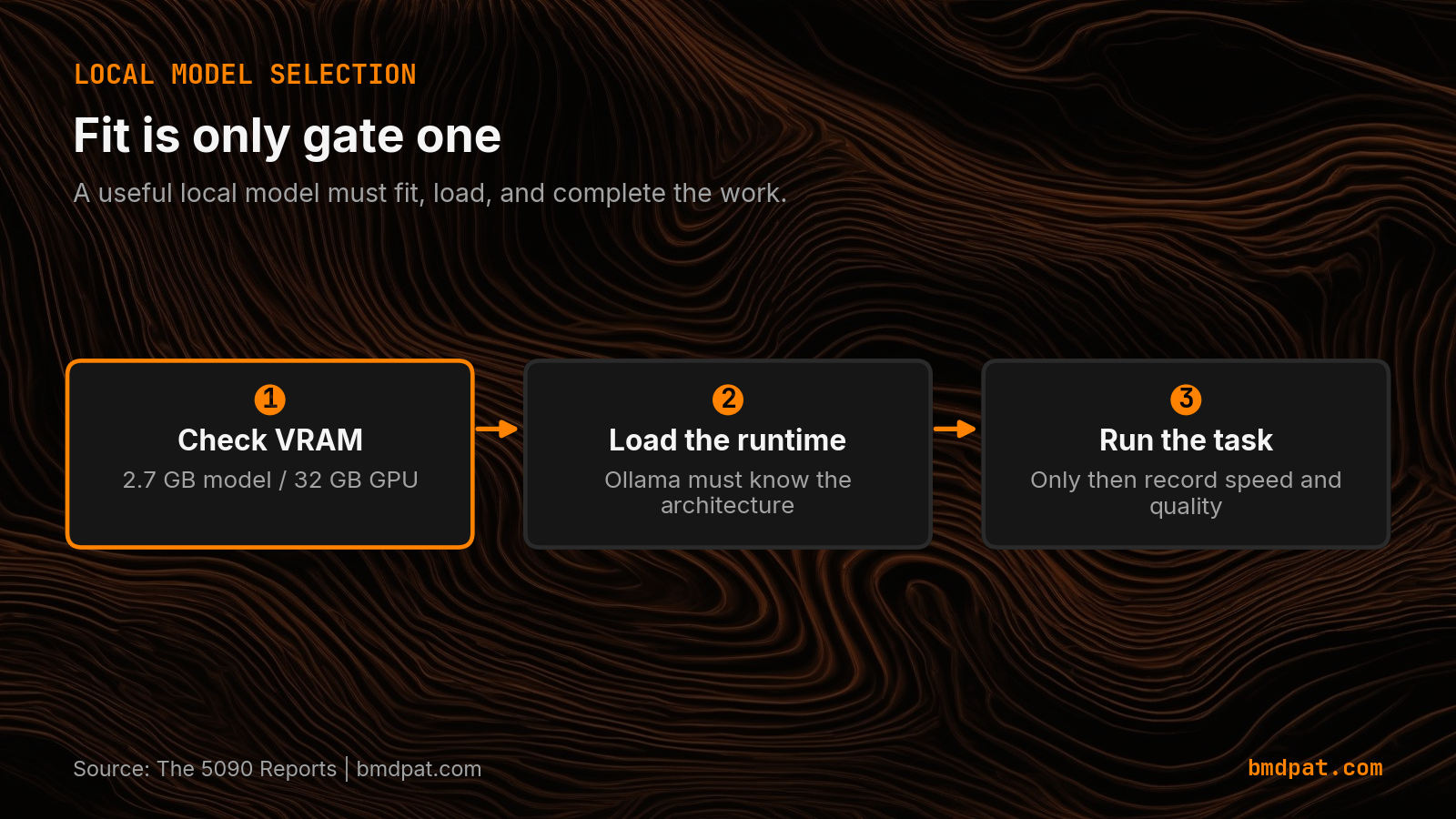
That happened in my latest local model test. A 2.7 GB Nanbeige4.2-3B GGUF downloaded and registered on an RTX 5090 with 32 GB of VRAM. Ollama then stopped at model load with an unknown architecture error. The memory check passed. The runtime check failed.
This is why I now treat VRAM fit and runtime support as separate gates in the local model sizing workflow.
 Open full-size image (opens in new tab)
What did the 5090 test actually prove?
The test proved one narrow thing: Nanbeige4.2-3B was not runnable on this Ollama build. The Q4_K_M file downloaded. The model appeared in the local model list. The request failed with unknown model architecture: 'nanbeige' when Ollama tried to start its llama-server process.
I repeated the check with Q5_K_M. It failed at the same stage. That matters because it rules out a single quant file as the first suspect. The report records a runtime support problem, not a throughput result.
The GPU had 32 GB of total memory. The Q4_K_M model occupied 2.7 GB on disk. Those numbers make the model look like an easy fit. They do not tell us whether the serving stack can load its architecture.
Why is VRAM fit only the first gate?
I use four gates for a local model:
- Artifact gate. Can I download and identify the model file?
- Memory gate. Does the model fit the available VRAM, RAM, or offload plan?
- Runtime gate. Does the named Ollama or llama.cpp version recognize the model architecture and quant format?
- Workload gate. Does it complete the real task with acceptable quality, latency, and power?
The first two gates are easy to check from a model page and a GPU spec. The third requires a real load attempt. The fourth requires a real task. A sizing tool that stops after memory fit can turn an impossible download decision into a confident recommendation.
My VRAM fit guide still has a useful place. It answers the memory question. My honest local model evaluation notes answer the workload question. The missing middle is a named runtime check.
What should a runtime-support check record?
The check does not need a large benchmark suite. It needs a small receipt with enough detail to reproduce the result:
- model name and exact file or tag
- quantization and file size
- runtime name and version
- GPU name and available memory
- load result and exact error text
- one short generation only after load succeeds
The final item is important. Do not report tokens per second for a model that never reached generation. The correct result is load_failed, with the reason attached.
That is how the Nanbeige test is recorded. It produced no throughput number. Publishing a number from another machine would answer a different question and weaken the desk's data.
What about models that are too large to fit?
The same report tested Laguna S2.1 as a separate case. Its BF16 files total roughly 250 GB, and its smaller MXFP4 MoE build is split across three shards. That is not a near miss on a 32 GB card. Measuring it requires an NVMe expert-offload path, and that path did not build on this Windows host because the C toolchain was absent and WSL was unavailable.
That is another useful failure boundary. The report has no Laguna throughput number because the engine did not build and no inference ran. The next action is infrastructure work, not a guessed performance estimate.
How does this change model selection?
The sizing desk should show runtime support beside VRAM fit. A model recommendation should name the runtime version that loaded it, or mark support as unverified.
My current known-good rows show why this distinction helps. The 2026-08-02 5090 report includes llama3.1:8b rows for an agent code task and a long-context summary. They are workload rows from a model that loaded. They are useful only because the earlier gates cleared.
The practical order is simple: fit the model, load it, run the task, then compare speed. VRAM fit gets you to the starting line. Runtime support gets you a starting line at all.
Accompanying prompt
What the prompt does: It turns a local model check into a receipt that separates memory fit, runtime support, and workload evidence.
Copy/paste this prompt:
Copy-ready prompt
Paste the exact block into your coding agent.
No article chrome, no footnotes, no formatting drift.
This prompt and every other one we publish live in the free prompt library.
Copy the block above.
Get the artifact-backed local AI lab notes by email: https://bmdpat.com/5090-reports
FAQ
Can a model fit in VRAM and still fail to run?
Yes. Nanbeige4.2-3B Q4_K_M occupied 2.7 GB on disk on a 32 GB RTX 5090 and still failed at load with unknown model architecture: 'nanbeige'.
What gates should a local model check use?
Artifact identity, memory fit, runtime support on the named Ollama or llama.cpp version, then workload quality, latency, and power. Do not report tokens per second for a model that never reached generation.
What should a runtime-support receipt record?
Model name and exact file or tag, quantization and file size, runtime name and version, GPU name and available memory, load result and exact error text, and one short generation only after load succeeds.
Get the Local AI Field Kit
Four copy-ready tools now, then one evidence-backed Local AI Lab Note on Friday when there is something worth sharing.
Try the free agent run check firstGet the requested artifact now, then at most one evidence-backed Local AI Lab Note on Friday when there is something worth sharing. One-click unsubscribe. No sponsored placements. Privacy.
Written by
Patrick Hughes
I build BMD and publish measured AI runs, failure reports, and reusable checks. Nashville, Tennessee.
More writing
- 5 min
My 5090 benchmark was missing the field I needed most
A fresh Qwen3.5 9B run showed 84.94 tok/s, but the useful number was the 6,105 ms load phase. I added phase timings and capture time to the benchmark receipt.
- 6 min
My 8B Model Failed a 400-Word Task
Three Llama 3.1 8B runs missed a 400-word floor. Here is the verifier-driven route that moved long-form synthesis to Gemma 4 26B.
- 5 min
My Local Blog Writer Drops Private Lines First
My local blog writer reads a daily log. I remove private lines before drafting, then check the output again. Here is what those checks can miss.
- 5 min
Ollama JSON: Empty Results Are Not Failed Requests
An empty Ollama result can mean no matches or a broken request. I test the response parser so local extraction failures cannot pass as clean results.
- 5 min
Log Local LLM Fallbacks Before You Score the Output
My local writer hit a host RAM guard, then Sonnet produced a draft that failed QA. Here is how I separate availability, model identity, and useful output.