Full Precision vs Q8 vs Q6 vs Q4: Which Weights to Run?
Compare full precision vs Q8 vs Q6 vs Q4 weight sizes, memory needs, and measured speeds so you can pick the right GGUF quant for your local setup.
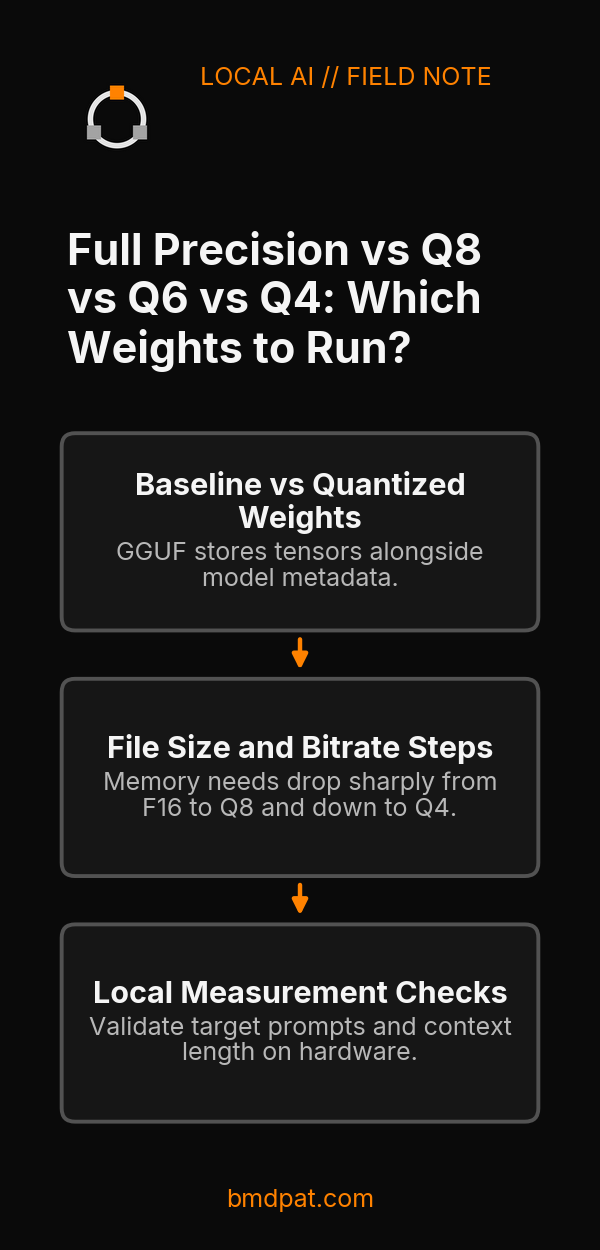
Your choice between full precision vs Q8 vs Q6 vs Q4 depends on your available memory at your target context length and actual task checks, not an assumed quality score. Quantization cuts file size and memory footprint, but weight changes can alter model output. Start by checking your baseline format and what fits directly in memory.
 Open full-size image (opens in new tab)
What is full precision compared to quantized weights?
Full precision refers to unquantized floating-point baseline weights, but the phrase hides whether the file is 32-bit or 16-bit. You must identify whether a model starts as F32, F16, or BF16 before comparing it to integer formats like Q8_0, Q6_K, or Q4_K_M.
According to the Hugging Face GGUF documentation, F32 is 32-bit single precision, F16 is 16-bit half precision, and BF16 is a distinct 16-bit format. GGUF stores tensors alongside metadata. You can use the Hub viewer to inspect each tensor's name, shape, and precision.
Quantization encodes weights with fewer bits. For tensor encodings, Q6_K uses 6.5625 bits per weight, while Q4_K uses 4.5 bits per weight, as documented on Hugging Face. Those figures describe tensor formats, not whole-model file sizes. When someone asks about full precision, they usually compare a 16-bit original against quantized files. If you want background on how these formats work, read GGUF quantization explained.
How do file sizes and bitrates compare across formats?
File sizes drop sharply as you move from 16-bit baselines down to Q4, cutting storage and memory requirements roughly in half between F16 and Q8, and again toward Q4. The exact storage depends on whether the quantization preset applies a uniform bit depth or mixes tensor types.
The llama.cpp quantize README documents concrete measurements for the meta-llama/Llama-3.1-8B model. The published values illustrate the step-down across presets:
| Format | Bits per weight | File size (GiB) |
|---|---|---|
| F16 | 16.0005 | 14.96 GiB |
| Q8_0 | 8.5008 | 7.95 GiB |
| Q6_K | 6.5633 | 6.14 GiB |
| Q4_K_M | 4.8944 | 4.58 GiB |
These numbers belong specifically to Llama-3.1-8B. The upstream project notes that --pure disables K-quant mixtures, while --imatrix file_name supplies calibration data. You can evaluate memory allocations across different cards with the GGUF compare tool. Remember that total runtime memory exceeds the file size. You must also reserve memory for context state, working buffers, and operating system tasks, especially when running local LLM inference on consumer GPUs.
How do these options behave in local measurements?
Lower bit depths increase generation speed when running inside memory limits, while perplexity tests show minor differences with overlapping error ranges. Local logs show that Q4_K_M runs faster than Q8_0, but the test numbers do not prove task superiority.
In historical records from Reports/5090/quant-ladder-27b.md dated 2026-09-21, Qwen3.8-27B-GGUF ran on an RTX 5090 using Ollama server 0.31.2. At a codegen context of 4096 tokens, single-request decode speeds were:
- Q4_K_M: 62.1 tokens per second
- Q6_K: 45.0 tokens per second
- Q8_0: 41.6 tokens per second
Short outputs limit the repeatability of these speed measurements.
Quality was recorded using llama.cpp b10423 on WikiText-2 across 145 chunks at context and batch size 2048 from Reports/Sizing-Desk/corpus.jsonl (rows 58-66). The raw logs report:
ppl-Q4_K_M.log: 6.3066 +/- 0.03983ppl-Q6_K.log: 6.3438 +/- 0.04042ppl-Q8_0.log: 6.3558 +/- 0.04057
The reported errors overlap. These figures do not establish task equivalence or quality rank. Neither F16, BF16, nor F32 was measured in this local ladder. Neither upstream source supplies universal quality percentages or a universal speed hierarchy across hardware.
How do you quantize a baseline model file?
You quantize a model using the llama-quantize tool by passing an unquantized input file, an output destination, and your target preset name. You should always create quantized files from original high-precision weights rather than requantizing an already quantized file.
The llama.cpp quantize guide provides this exact command line for converting an existing BF16 file:
./build/bin/llama-quantize gemma-4-E2B-it-bf16.gguf gemma-4-E2B-it-Q4_K_M.gguf Q4_K_M
Requantizing an already quantized file degrades weight fidelity. Always preserve your original high-precision GGUF file as the source.
What should you do with this?
- Identify the base precision of your source weights by inspecting the tensor metadata with the Hub viewer or GGUF tools before picking a quant.
- Select the highest quantization level that fits your hardware budget: keep original precision if memory allows, use Q8_0 if small quants fail, step down to Q6_K if memory fills up, or select Q4_K_M when you need the smallest footprint.
- Validate your target prompts and required context length directly on your hardware, keeping prompt templates, model revision, and runtime parameters identical during testing.
Accompanying prompt
What the prompt does: Evaluates whether full precision, Q8, Q6, or Q4 fits your local hardware and test requirements.
Copy/paste this prompt:
Copy-ready prompt
Paste the exact block into your coding agent.
No article chrome, no footnotes, no formatting drift.
This prompt and every other one we publish live in the free prompt library.
Copy the block above.
Weekly measured local runs: https://bmdpat.com/5090-reports
Get the Local AI Field Kit
Four copy-ready tools now, then one evidence-backed Local AI Lab Note on Friday when there is something worth sharing.
Try the free agent run check firstGet the requested artifact now, then at most one evidence-backed Local AI Lab Note on Friday when there is something worth sharing. One-click unsubscribe. No sponsored placements. Privacy.
Written by
Patrick Hughes
I build BMD and publish measured AI runs, failure reports, and reusable checks. Nashville, Tennessee.
More writing
- 5 min
llama.cpp 1.0.0 release november 2026
The llama.cpp 1.0.0 release in November 2026 sets SemVer rules, cuts 35 deprecated functions, and adds FP8 KV caches. Here is what to check in your setup.
- 5 min
OpenClaw: Who Is Using It? Demographics Survey 2026
See verified 2026 OpenClaw survey demographics, user limits, and real sample metrics to help you evaluate your local AI agent setup against real data.
- 5 min
LLM GPU Costs Unexpectedly High: How to Diagnose the Bill
When LLM GPU costs are unexpectedly high, idle replica minutes, cold starts, and separate disk fees inflate invoices. Here is how to audit your runtime spend.
- 5 min
Is OpenClaw Worth It? Setup Costs and Risks
OpenClaw offers free self-hosted messaging agents under the MIT license, but model token fees, host security, and skill audits determine your real costs.
- 5 min
OpenClaw AI Assistant Latest News 2026
OpenClaw release v2026.10.4 repairs sleep restarts and Tlon permissions, following skill discovery, MCP Apps, and R2 backup updates in October 2026.