Is OpenClaw Worth It? Setup Costs and Risks
OpenClaw offers free self-hosted messaging agents under the MIT license, but model token fees, host security, and skill audits determine your real costs.
OpenClaw is worth it if you want an always-on assistant across chat apps and you are willing to review third-party code and pin versions. The codebase is free under the MIT license. You pay for it through server hosting, model tokens, and the manual time spent auditing skills before execution.
 Open full-size image (opens in new tab)
Is OpenClaw worth it for your setup?
OpenClaw is worth it if you need an active assistant that monitors messaging platforms while keeping state, memory, and credentials on your own hardware. If you will not inspect skill scripts or isolate host access, it becomes a serious operational hazard rather than a helpful tool.
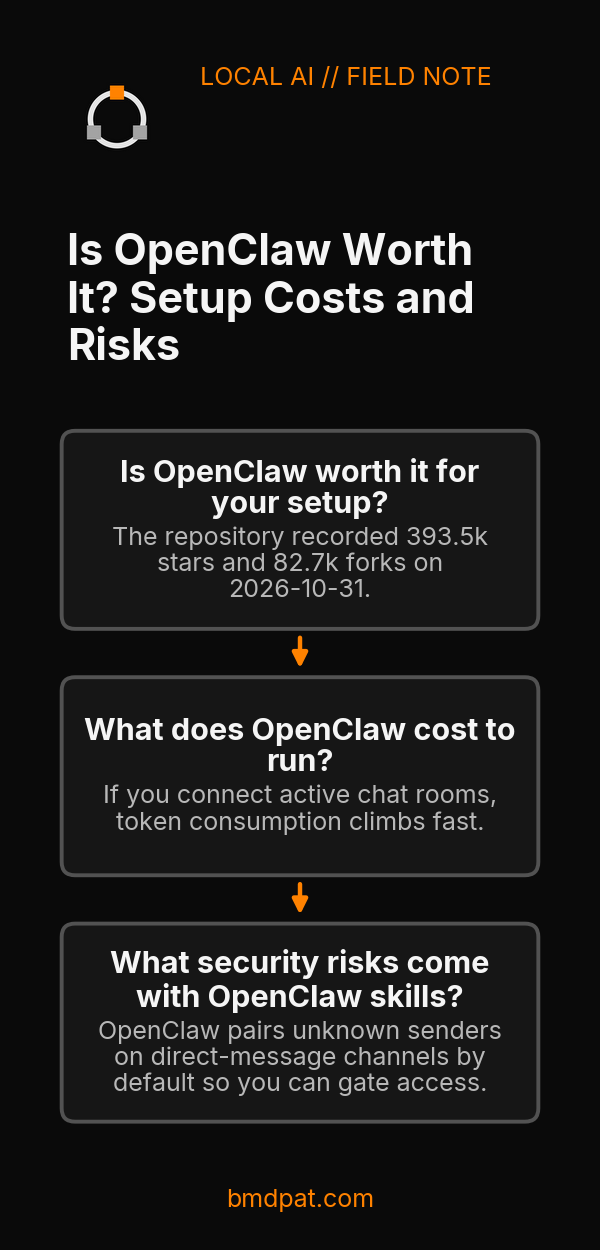
According to the OpenClaw repository, the project provides an open-source AI assistant that runs on your computer and integrates with platforms like Discord, iMessage, Slack, Teams, Telegram, and WhatsApp. The repository recorded 393.5k stars and 82.7k forks on 2026-10-31. Those metrics show wide adoption among developers.
The software itself costs nothing to clone or modify under its MIT license. The trade comes in operational responsibility. OpenClaw is an active agent that takes real actions on your machine. Tools run directly on the host for the primary session unless you set up explicit sandboxing. If you run consumer hardware, review our 5090 local inference guide to size local capacity before attempting to host models alongside active messaging daemons.
What does OpenClaw cost to run?
Running OpenClaw costs nothing in software licensing, but your actual expenses depend on whether you use paid hosted APIs or local model weights. Neither primary documentation nor independent reviews provide fixed monthly dollar totals, because usage patterns dictate model calls, network egress, and machine power draw.
An independent analysis from Valletta Software points out that when you connect to a hosted API, token spend becomes your primary recurring expense. Every message received across connected channels triggers context ingestion and output generation. If you connect active chat rooms, token consumption climbs fast.
You can configure swappable plugins for Codex, Claude, or local model providers. Local models stop API billing, but they require adequate hardware. When you connect agents to external interfaces, you must trace spending closely. Read our breakdown on AI agent cost control to see how budget limits stop runaway loops.
What security risks come with OpenClaw skills?
OpenClaw presents real security exposure because tools run directly on your host by default, and community skills from the ClawHub registry consist of executable code. You must isolate agent processes, verify lockfiles, and reject unknown inbound messages until you explicitly approve the sender.
The primary project documentation warns administrators to treat all inbound messages as untrusted input. OpenClaw pairs unknown senders on direct-message channels by default so you can gate access. You can approve a paired user from the terminal:
openclaw pairing approve telegram 482910
The review from Valletta Software reports that security researchers have flagged large numbers of malicious skills on the ClawHub registry. The guide also cautions that a self-updating agent can overwrite code you already inspected, undoing your audit. If you let an agent execute shell commands, see BMD, see what your agents actually did to track actions against system resources.
| Risk Area | Default Behavior | Hardening Step |
|---|---|---|
| Tool Execution | Runs on host | Configure container isolation |
| Third-Party Skills | Unaudited executable scripts | Read SKILL.md and pin versions |
| Inbound Messages | Untrusted external input | Require sender pairing approval |
| Updates | Dynamic self-updates | Lock dependencies in version control |
When should you choose OpenClaw over other tools?
You should choose OpenClaw when you need an always-on assistant bridging personal and team messaging apps into a single self-hosted control plane. You should avoid OpenClaw if you need an isolated passive library, or if you cannot commit time to inspect third-party plugins.
The environment requires Node 24.22.1+ or Node 26.12.1+, with Node 26 recommended by the repository maintainers. Installation uses a shell script:
curl -fsSL https://openclaw.ai/install.sh | bash
Read that script before running it. Neither source measures task completion success rates against alternative agents, so you must benchmark task accuracy on your own workflows.
What should you do with this?
You should evaluate OpenClaw by auditing its environment requirements, isolating tool execution inside a secure boundary, and testing one messaging channel before connecting your primary accounts. Moving step by step ensures you catch unwanted command execution before giving an agent network access.
- Verify your runtime has Node 26 installed, then run the installer on an isolated test machine or development virtual environment.
- Review the repository checklist: inspect open issues, examine the lockfile, and pin specific skill versions after reading their source scripts.
- Enable sandboxing for host tools, link a single test channel, and approve senders manually using pairing commands.
Accompanying prompt
What the prompt does: Audits an OpenClaw skill directory against the security checklist before installation.
Copy/paste this prompt:
Copy-ready prompt
Paste the exact block into your coding agent.
No article chrome, no footnotes, no formatting drift.
This prompt and every other one we publish live in the free prompt library.
Copy the block above.
Weekly measured local runs: https://bmdpat.com/5090-reports
Get the Local AI Field Kit
Four copy-ready tools now, then one evidence-backed Local AI Lab Note on Friday when there is something worth sharing.
Try the free agent run check firstGet the requested artifact now, then at most one evidence-backed Local AI Lab Note on Friday when there is something worth sharing. One-click unsubscribe. No sponsored placements. Privacy.
Written by
Patrick Hughes
I build BMD and publish measured AI runs, failure reports, and reusable checks. Nashville, Tennessee.
More writing
- 5 min
Verify an AI Security Agent Actually Did What It Reported
Inspect real system state, capture hash-chained tool receipts outside agent reach, and anchor audit root fingerprints away from the local system operator.
- 5 min
OpenClaw AI Assistant Latest News 2026
OpenClaw release v2026.10.4 repairs sleep restarts and Tlon permissions, following skill discovery, MCP Apps, and R2 backup updates in October 2026.
- 5 min
What Does Q4_K_M Mean? GGUF Quantization Decoded
Learn the exact meaning of Q4_K_M in llama.cpp, how its mixed tensor precisions work, and how to verify if it fits your consumer GPU VRAM budget.
- 5 min
Q6_K vs Q8_0: Which GGUF Preset Fits Your Setup?
Compare Q6_K and Q8_0 presets for llama.cpp. See real VRAM allocation, file sizes, and test steps to decide which GGUF quantization fits your card.
- 5 min
llama-server ngl: How to Set and Verify GPU Offload
Learn how to set -ngl in llama-server, verify GPU layer offload in startup logs, avoid silent CPU fallback, and check device readiness.