Q6_K vs Q8_0: Which GGUF Preset Fits Your Setup?
Compare Q6_K and Q8_0 presets for llama.cpp. See real VRAM allocation, file sizes, and test steps to decide which GGUF quantization fits your card.
Test Q6_K first when file size determines whether your model fits in VRAM alongside context, and test Q8_0 only if the larger file still fits and Q6_K fails your checks.
Choosing between q6_k vs q8_0 (or evaluating q8_0 vs q6_k) is an operational decision about fit, not a guarantee of higher output quality. When local memory runs short, a preset that refuses to fit cleanly into memory fails before it generates a single token.
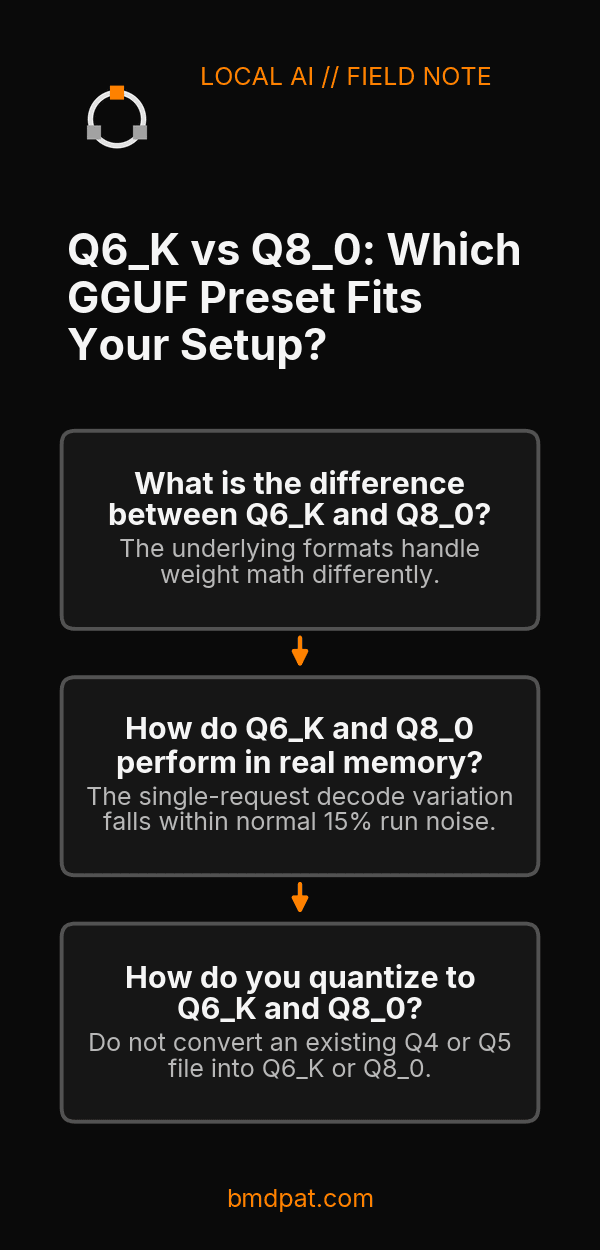
What is the difference between Q6_K and Q8_0?
Q6_K uses a 6-bit K-quant structure across super-blocks, while Q8_0 uses an 8-bit block quantization format. Q6_K produces smaller file sizes and demands less memory, making it the practical choice when fitting weights and KV cache on a single GPU.
The underlying formats handle weight math differently. According to the Hugging Face GGUF documentation, Q6_K packs super-blocks of 16 blocks, where each block contains 16 weights with w = q * block_scale(8-bit), yielding 6.5625 bits per weight at the tensor level. Hugging Face documents Q8_0 as an 8-bit round-to-nearest layout with 32 weights per block using w = q * block_scale, labeling that row a legacy method not used widely on 2026-10-17.
However, llama.cpp source code at commit f2f667b02dc76d675395ae3b14546c8108d26387 tells a practical story. The quantizer still lists LLAMA_FTYPE_MOSTLY_Q8_0 as its default target type in llama-quant.cpp. In that same codebase, the README tables for meta-llama/Llama-3.1-8B list whole-file metrics:
- Q6_K measures
6.5633bits per weight and6.14GiB. - Q8_0 measures
8.5008bits per weight and7.95GiB.
A filename suffix does not mean every tensor shares that type. In llama-quant.cpp, if an output tensor is not already Q8_0, one branch forces Q6_K. Other internal branches force Q8_0 for specific architectures, block-size mismatches, or attention tensors on 8-expert models. You can verify memory tradeoffs across formats with our GGUF compare tool or review our guide on GGUF quantization explained.
How do Q6_K and Q8_0 perform in real memory?
Q6_K saves physical VRAM over Q8_0 while delivering comparable perplexity and decode speeds on identical hardware. That gap in physical memory footprint often decides whether a large context window fits on your card without spilling over into system RAM.
On 2026-09-21, our primary host test rig (NVIDIA GeForce RTX 5090, 32,607 MiB, driver 616.92) ran side-by-side passes on hf.co/lmstudio-community/Qwen3.8-27B-GGUF. The only variable changed was the quant preset:
| Metric | Q6_K Preset | Q8_0 Preset |
|---|---|---|
| File size on disk | 20.89 GiB | 27.05 GiB |
| Peak VRAM at load | 25,011 MiB | 30,509 MiB |
| Single-request decode (ctx 4096) | 45.0 tok/s | 41.6 tok/s |
| WikiText-2 perplexity (b10423, ctx 2048) | 6.3438 +/- 0.04042 | 6.3558 +/- 0.04057 |
The perplexity difference between 6.3438 and 6.3558 is smaller than the measurement error. The single-request decode variation falls within normal 15% run noise. Speed and perplexity do not establish a clear winner.
Memory safety makes the real difference. At context 16384 during summarization, Q8_0 climbed to 31,324 MiB of VRAM. A cold load of that 27.05 GiB file exceeded the 300-second start timeout three times. Q6_K loaded without timing out and left over 7,000 MiB of headroom. For broader production context on matching weights to cards, read our notes on local LLM inference on consumer GPUs.
How do you quantize to Q6_K and Q8_0?
Build both target files directly from the same unquantized high-precision base file using the official llama-quantize binary. Requantizing an existing lower-bit preset degrades tensor accuracy, so keep your source at full 16-bit or 32-bit floating point.
Run these exact documented positional commands from your llama.cpp build directory:
./build/bin/llama-quantize input-f16-or-bf16.gguf output-Q6_K.gguf Q6_K
./build/bin/llama-quantize input-f16-or-bf16.gguf output-Q8_0.gguf Q8_0
Notice that --allow-requantize warns in the README that converting an already quantized file severely degrades quality. Do not convert an existing Q4 or Q5 file into Q6_K or Q8_0.
What should you do with this?
- Quantize or download the Q6_K preset first and allocate your expected context window to confirm total VRAM usage stays safely below card capacity.
- Run your domain-specific test prompts against Q6_K to check whether output answers pass your evaluation criteria.
- Test Q8_0 only if your card retains enough free VRAM for your needed context and Q6_K failed your concrete accuracy checks.
Accompanying prompt
What the prompt does: Evaluates whether your hardware can accommodate Q8_0 or should standardize on Q6_K based on model size, context requirements, and available VRAM.
Copy/paste this prompt:
Copy-ready prompt
Paste the exact block into your coding agent.
No article chrome, no footnotes, no formatting drift.
This prompt and every other one we publish live in the free prompt library.
Copy the block above.
Weekly measured local runs: https://bmdpat.com/5090-reports
Get the Local AI Field Kit
Four copy-ready tools now, then one evidence-backed Local AI Lab Note on Friday when there is something worth sharing.
Try the free agent run check firstGet the requested artifact now, then at most one evidence-backed Local AI Lab Note on Friday when there is something worth sharing. One-click unsubscribe. No sponsored placements. Privacy.
Written by
Patrick Hughes
I build BMD and publish measured AI runs, failure reports, and reusable checks. Nashville, Tennessee.
More writing
- 5 min
llama-server ngl: How to Set and Verify GPU Offload
Learn how to set -ngl in llama-server, verify GPU layer offload in startup logs, avoid silent CPU fallback, and check device readiness.
- 5 min
What Does Q4_K_M Mean? GGUF Quantization Decoded
Learn the exact meaning of Q4_K_M in llama.cpp, how its mixed tensor precisions work, and how to verify if it fits your consumer GPU VRAM budget.
- 5 min
What Does ngl 99 Mean in llama.cpp?
In llama.cpp, ngl 99 sets a numeric cap of 99 layers in GPU memory rather than 99 percent VRAM. Here is how layer offloading works and what to run.
- 5 min
q4km vs q4ks: which 4-bit file fits?
q4km is Q4_K_M and q4ks is Q4_K_S. For Llama 3.1 8B, the quantize README lists 4.36 GiB for Q4_K_S and 4.58 GiB for Q4_K_M.
- 5 min
KV Cache Q4 vs Q8 in llama.cpp Explained
Compare q4_0 and q8_0 KV cache options in llama.cpp server. Learn the exact CLI flags, allowed types, defaults, and how to verify output quality.