OpenClaw AI Assistant Latest News 2026
OpenClaw release v2026.10.4 repairs sleep restarts and Tlon permissions, following skill discovery, MCP Apps, and R2 backup updates in October 2026.
OpenClaw release v2026.10.4 patched host recovery and chat permissions on October 16, 2026, building directly on the skill discovery, MCP Apps, and remote backup features shipped earlier in October.
If you run local AI assistants or coordinate tool-using agents, tracking tool updates prevents broken host processes. Upstream release notes and industry coverage from September and October 2026 outline what changed, what security boundaries moved, and how your host environment handles interruptions.
 Open full-size image (opens in new tab)
What is the latest OpenClaw release in October 2026?
The latest verified OpenClaw release is v2026.10.4, published on October 16, 2026, as a focused stability patch. It addresses host recovery after computer sleep or clock changes without adding new configuration flags. Treat these claims as project release notes rather than independent laboratory benchmarks.
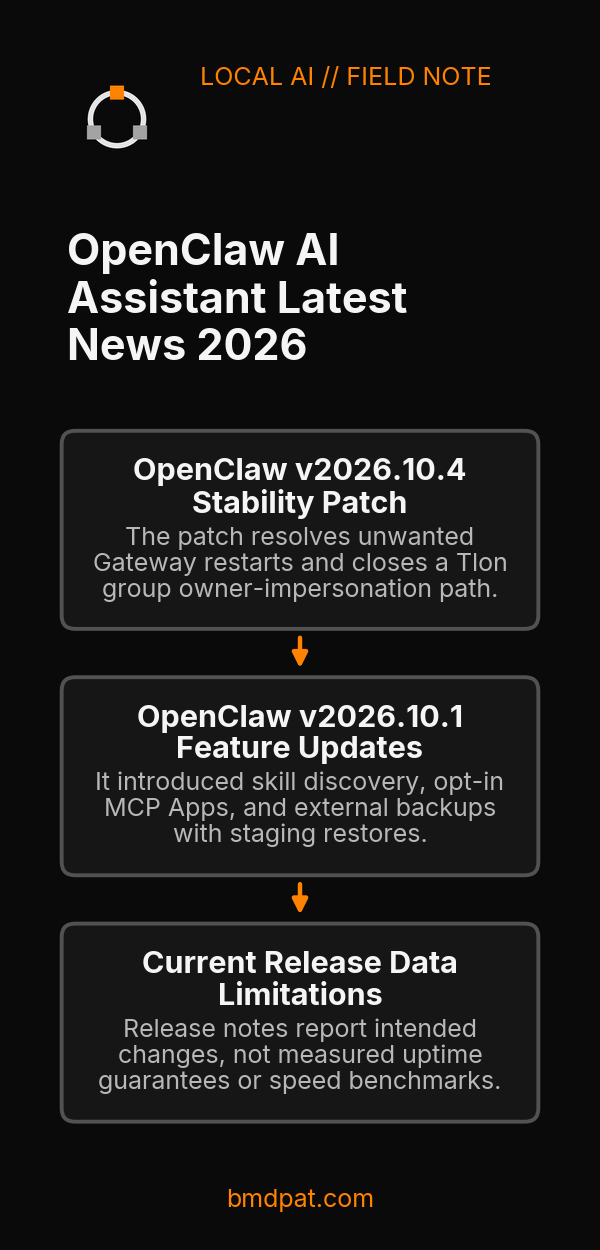
According to the primary release documentation for v2026.10.4, the patch resolves unwanted Gateway restarts triggered when a host machine wakes from sleep or adjusts its system clock. For builders who keep local assistant engines active across desktop standby cycles, unexpected Gateway restarts interrupt running loops.
The update also closes an owner-impersonation path within Tlon group direct messages. Under earlier builds, group message handling could allow other participants to be treated as the owner. The patch enforces that non-owner participants retain separate, restricted standing.
Independent industry interest in OpenClaw also surfaced in recent coverage. On September 22, 2026, TechCrunch reported Meta's statement on Muse and OpenClaw, where Meta stated Muse drew inspiration from OpenClaw but was developed separately. That disclosure placed OpenClaw's architecture directly into broader agent interface discussions.
What features shipped in OpenClaw earlier in October 2026?
Release v2026.10.1 introduced installed-skill discovery, compatible opt-in MCP Apps beside chat, and full backups to external storage or Cloudflare R2 with staging restores. The update separated catalog discovery from instruction reading so skill lists do not fill context windows.
GitHub records the v2026.10.1 release tag date as October 10, 2026. As documented in the v2026.10.1 documentation, the update altered how agents read their own capabilities:
- Installed-skill discovery: The system discovers installed skills without placing the whole tool library into the active prompt context. When an agent selects a skill, the complete instructions are read in a separate step. Reading those instructions grants no automated authority to install or execute code.
- MCP Apps: Compatible MCP Apps operate beside the main chat interface on an opt-in basis.
- External backups: Full host backups can target local external drives or Cloudflare R2 object storage. Restores run into a fresh staging directory to avoid overwriting live files directly.
These updates built upon the August 30, 2026, announcement of OpenClaw 2.0 documented in the OpenClaw 2.0 release overview, which outlined simpler setup routines, a rebuilt browser application, and shared cloud sessions.
How do recent OpenClaw updates compare across versions?
The recent release sequence separates major UI and runtime changes from prompt-level discovery and target stability fixes. Reviewing these changes helps you verify which release matches your runtime needs before updating production machines.
| Version | Release Date | Core Changes Reported in Source Pack |
|---|---|---|
| OpenClaw 2.0 | August 30, 2026 | Simpler setup, rebuilt browser app, shared cloud sessions |
| v2026.10.1 | October 10, 2026 | Skill discovery without full prompt injection, MCP Apps, external/R2 backups |
| v2026.10.4 | October 16, 2026 | Gateway restart fix for sleep/clock shifts, Tlon group owner impersonation fix |
Source documentation: OpenClaw GitHub Releases and OpenClaw Release Docs.
When planning machine deployments, pair your software choices with verified hardware baselines. You can check our 5090 local inference guide for hardware sizing. If you run complex agent pipelines across local tooling, see our guide on AI agent cost control. For teams auditing agent actions against their filesystems, use BMD, see what your agents actually did. For broader strategic evaluations, review our separate write-up on OpenClaw versus custom AI agents.
What are the limits of the current release data?
Release notes report intended changes, not measured uptime guarantees, security audit certifications, or execution speed benchmarks. Upstream documentation does not provide controlled failure-rate comparisons between v2026.10.1 and v2026.10.4.
No benchmark files in our test environments contain local performance measurements for OpenClaw. The commands and features listed here reflect upstream documentation and news reports. If you require verified execution metrics, test the builds directly inside an isolated staging environment before updating production systems.
What should you do with this?
- Inspect your current installation and update status by running the diagnostic tool:
openclaw update status
- Check your host machine sleep logs and Tlon group direct message configurations if you run multi-user environments.
- Verify your external backup destination or Cloudflare R2 bucket credentials before applying patch v2026.10.4.
Accompanying prompt
What the prompt does: Audits an existing OpenClaw installation against documented October 2026 patch notes and backup requirements.
Copy/paste this prompt:
Copy-ready prompt
Paste the exact block into your coding agent.
No article chrome, no footnotes, no formatting drift.
This prompt and every other one we publish live in the free prompt library.
Copy the block above.
Weekly measured local runs: https://bmdpat.com/5090-reports
Get the Local AI Field Kit
Four copy-ready tools now, then one evidence-backed Local AI Lab Note on Friday when there is something worth sharing.
Try the free agent run check firstGet the requested artifact now, then at most one evidence-backed Local AI Lab Note on Friday when there is something worth sharing. One-click unsubscribe. No sponsored placements. Privacy.
Written by
Patrick Hughes
I build BMD and publish measured AI runs, failure reports, and reusable checks. Nashville, Tennessee.
More writing
- 5 min
What Does Q4_K_M Mean? GGUF Quantization Decoded
Learn the exact meaning of Q4_K_M in llama.cpp, how its mixed tensor precisions work, and how to verify if it fits your consumer GPU VRAM budget.
- 5 min
Q6_K vs Q8_0: Which GGUF Preset Fits Your Setup?
Compare Q6_K and Q8_0 presets for llama.cpp. See real VRAM allocation, file sizes, and test steps to decide which GGUF quantization fits your card.
- 5 min
llama-server ngl: How to Set and Verify GPU Offload
Learn how to set -ngl in llama-server, verify GPU layer offload in startup logs, avoid silent CPU fallback, and check device readiness.
- 5 min
What Does ngl 99 Mean in llama.cpp?
In llama.cpp, ngl 99 sets a numeric cap of 99 layers in GPU memory rather than 99 percent VRAM. Here is how layer offloading works and what to run.
- 5 min
q4km vs q4ks: which 4-bit file fits?
q4km is Q4_K_M and q4ks is Q4_K_S. For Llama 3.1 8B, the quantize README lists 4.36 GiB for Q4_K_S and 4.58 GiB for Q4_K_M.