My Local LLM Got Faster After It Passed the Tests
A three-run RTX 5090 test showed why local LLM tuning must pair speed with fixed-task checks. One faster setting also repaired every test.
TL;DR
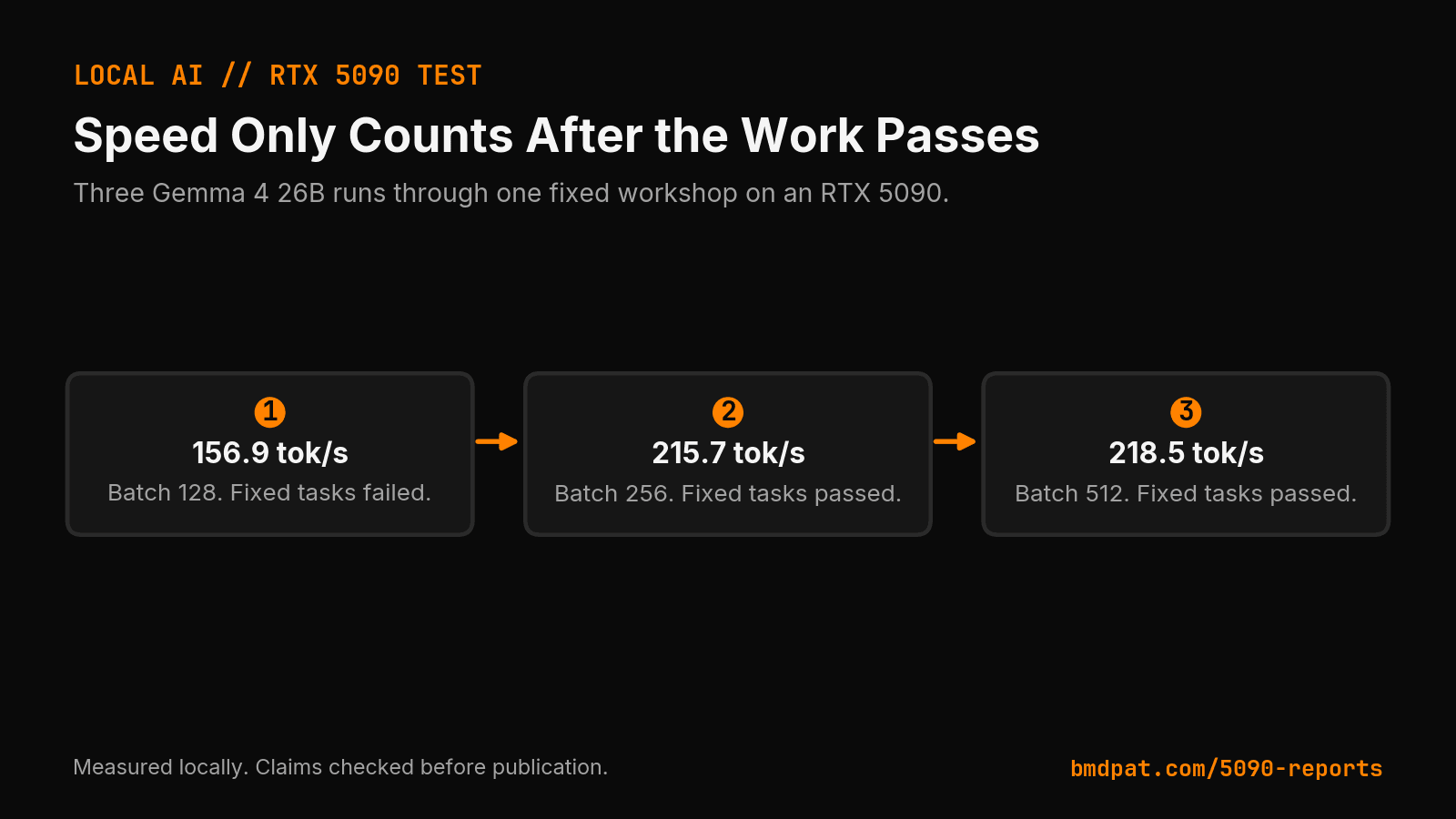
- Three Gemma 4 26B runs through Ollama on an RTX 5090 used the same mixed workshop and a 2,048-token context. Batch 128: 156.9 tok/s at 0%. Batch 256: 215.7 tok/s at 100%. Batch 512: 218.5 tok/s at 100%.
- The second run gained 58.8 tokens per second and passed every fixed task. The third run gained only 2.8 more tokens per second and kept the same test result. If the prompt or expected answer changes, start a new comparison.
- Keep batch size 256 for the next round. Batch size 512 added about a 1.3% gain with no measured quality gain.
Speed is easy to rank. Correct work is harder to count. That is why a local model benchmark can send you toward the wrong setting.
Short answer: I ran the same mixed workload three times on an RTX 5090. Throughput rose from 156.9 to 218.5 tokens per second, but I kept only settings that also passed every fixed task.
The result did not prove that a larger batch caused better answers. It proved that speed alone could not choose the setting.
What did the three local runs show?
My August 6 lab report records three Gemma 4 26B runs through Ollama. Each run used the same mixed workshop: three generation tasks and four code tasks. The context size stayed at 2,048 tokens. I changed the batch size.
| Batch size | Throughput | Fixed-task result |
|---|---|---|
| 128 | 156.9 tok/s | 0% |
| 256 | 215.7 tok/s | 100% |
| 512 | 218.5 tok/s | 100% |
The first run was both slow and wrong. The second run gained 58.8 tokens per second and passed every fixed task. The third run gained only 2.8 more tokens per second and kept the same test result.
Those numbers came from one short workshop. They do not rank Gemma against every local model. They do show the decision problem clearly. A speed chart can tell you which run produced tokens faster. It cannot tell you whether the code worked.
Why can speed hide a bad local model setting?
Tokens per second measures one part of the run. It does not grade the answer. It also misses model load time, tool failures, malformed output, and work that needs a repair pass.
I saw the timing problem in another RTX 5090 test. The run with the higher token rate took much longer from request to response because model load dominated the clock. I wrote up that result in The Faster Local Model Run Took 83x Longer.
The same rule applies to answer quality. A model can produce broken code at a high rate. If the benchmark ends when generation stops, the bad run still looks good.
How do I add a quality gate to a local benchmark?
I start with fixed tasks that have clear answers. A code task must compile or pass its tests. A JSON task must parse and match its schema. A routing task must select the expected route. The check runs in code after the model responds.
Then I record speed and task result in the same row. I do not keep a new speed result when the fixed tasks fail. This rule makes the benchmark useful for a production choice instead of a screenshot.
The test set can stay small at first. Four code tasks were enough to reject my first workshop setting. The key is that the tasks do not change between runs. If the prompt or expected answer changes, I start a new comparison.
Did the batch size cause the better answers?
I do not know. The batch size changed, but model output can vary across runs. The first result could reflect run variance, a cold path, or another condition that the workshop did not isolate.
That uncertainty changes the next test. I should repeat each setting several times, keep the prompt and model build fixed, and record both pass rate and wall-clock time. One clean run can qualify a setting for more tests. It cannot prove a cause.
This is the same reason I test refusal behavior as its own property. My local security task report counted completed tasks, refusals, and timeouts separately. One score cannot describe every failure mode.
Which setting would I keep?
I would keep batch size 256 for the next round. It passed all fixed tasks and reached 215.7 tokens per second. Batch size 512 added 2.8 tokens per second in this run, about a 1.3% gain, with no measured quality gain.
That is a test choice, not a permanent setting. I want the smaller step until repeat runs show that 512 gives a useful wall-clock gain without more failures or memory pressure.
The operating rule is simple. First, reject wrong work. Second, compare full run time. Third, use tokens per second to explain where the time went. That order keeps the benchmark tied to the job the model must do.
Accompanying prompt
What the prompt does: This prompt turns a local LLM speed test into a repeatable speed and quality gate.
Copy/paste this prompt:
Copy-ready prompt
Paste the exact block into your coding agent.
No article chrome, no footnotes, no formatting drift.
This prompt and every other one we publish live in the free prompt library.
Copy the block above.
Get the measured local AI notes by email: https://bmdpat.com/5090-reports
FAQ
What did the three local runs show?
Batch 128 was slow and wrong at 156.9 tok/s and 0%. Batch 256 reached 215.7 tok/s and 100%. Batch 512 reached 218.5 tok/s and 100%. A speed chart cannot tell you whether the code worked.
Did the batch size cause the better answers?
Unknown. The batch size changed, but model output can vary across runs. One clean run can qualify a setting for more tests. It cannot prove a cause.
Which setting would I keep?
Batch size 256 for the next round. It passed all fixed tasks and reached 215.7 tokens per second. Keep the smaller step until repeat runs show that 512 gives a useful wall-clock gain.
Get the Local AI Field Kit
Four copy-ready tools now, then one evidence-backed Local AI Lab Note on Friday when there is something worth sharing.
Try the free agent run check firstGet the requested artifact now, then at most one evidence-backed Local AI Lab Note on Friday when there is something worth sharing. One-click unsubscribe. No sponsored placements. Privacy.
Patrick Hughes
I build BMD and publish measured AI runs, failure reports, and reusable checks. Nashville, Tennessee.
More writing
- 6 min
Prime Agent hit 95.5% on ARC-AGI-3. I did not install it.
Prime Intellect's new agent beat the human baseline on ARC-AGI-3 at launch. I copied one idea, queued one benchmark, and installed nothing.
- 5 min
How to Calculate Local LLM Energy per Token
My RTX 5090 test shows how watts and output rate become joules per token, and why the faster of two matched settings can waste energy.
- 4 min
Why a Failed Local LLM Benchmark Row Still Matters
A failed local LLM row marks the test boundary. My RTX 5090 report shows why quality, speed, and settings belong in one receipt.
- 5 min
The faster local model run took 83x longer
One llama3.1:8b run posted 188.16 tok/s and finished in 43.9 seconds. The next posted 153.12 and finished in 0.53. Tokens per second ranked them backwards.
- 5 min
Log Local LLM Fallbacks Before You Score the Output
My local writer hit a host RAM guard, then Sonnet produced a draft that failed QA. Here is how I separate availability, model identity, and useful output.