How I Test a 30B Local Model Before I Load It
A 30B local model can fit on paper and still fail the job. This test plan checks memory, tool use, speed, and repeatability first.
TL;DR
- The Ollama Nemotron 3 Nano page lists a 30B model with 3.5B active parameters. That makes it a test case, not a production default.
- Active parameters do not remove the need to load the model weights and runtime state. Test the RTX 5090 and the 8 GB RTX 3070 as separate cases.
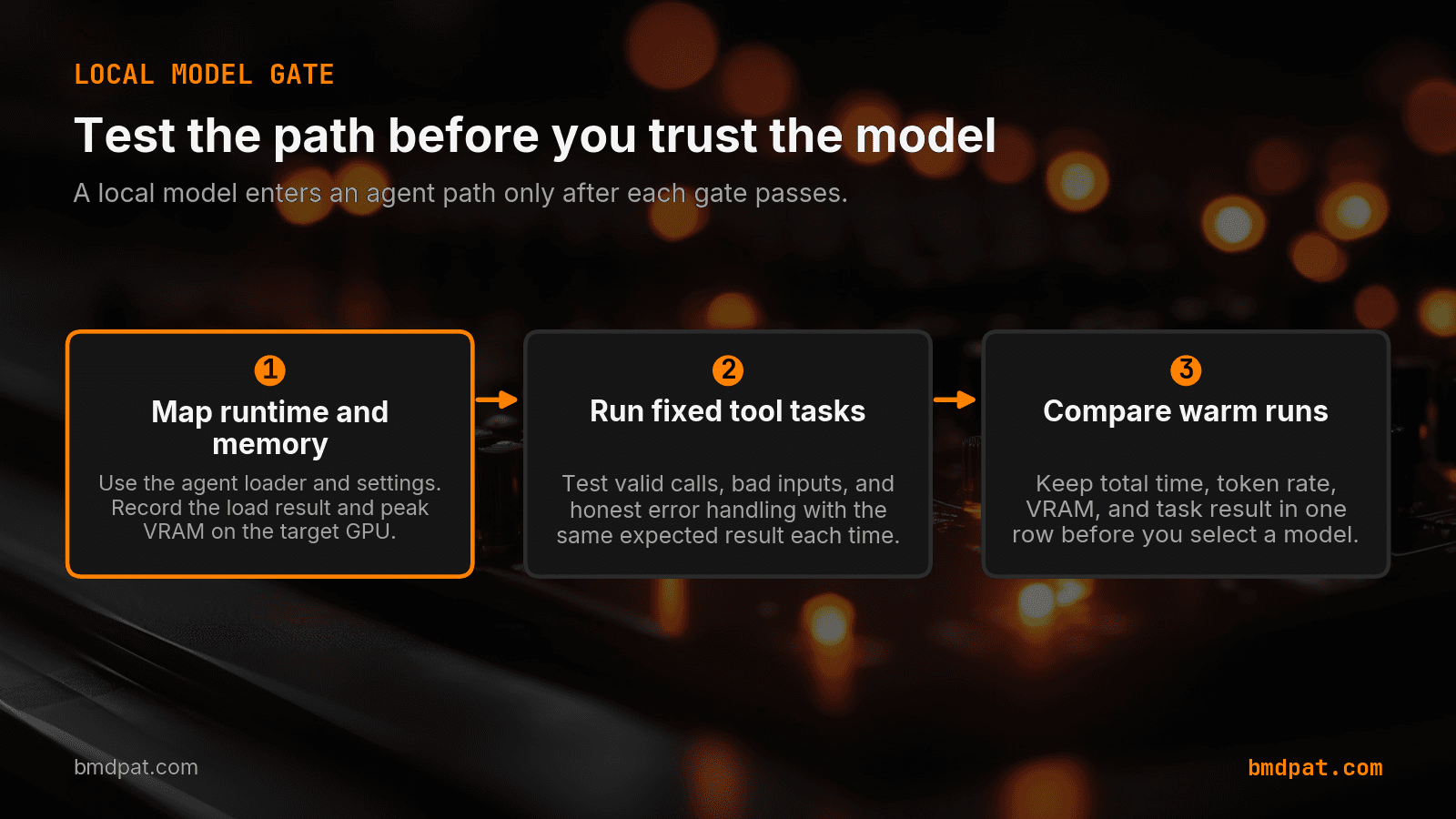
- Do not add a new model to an agent path until it loads, calls one fixed tool correctly, handles one tool error, and repeats the result. Run the same task three times after the first model load.
A 30B local model can fit on a product page and still fail the job. I test memory, tool use, speed, and repeatability before I add one to a local agent path.
Short answer: I do not add a new model to an agent path until it loads, calls one fixed tool correctly, handles one tool error, and repeats the result. The current Ollama Nemotron 3 Nano page lists a 30B model with 3.5B active parameters. That makes it a test case, not a production default.
What should I check before I download a 30B model?
I start with the runtime that will serve the request. In my case, that is Ollama on owned hardware. I do not swap in a separate benchmark binary and call the result a production test. A different loader can use different memory rules, quantization, and settings.
The NVIDIA model page lists coding, reasoning, long context, and tool calling as model features. Those claims come from the model publisher. They do not show that my Ollama request can call a tool correctly.
Then I record the exact model tag, runtime version, GPU, VRAM, context size, and generation limit. This record makes the next run comparable. It also stops a common mistake: comparing a cold load on one card with a warm request on another card.
Does active parameter count tell me the VRAM need?
No. Active parameters can help explain compute work during generation. They do not remove the need to load the model weights and runtime state. I use the model's published size as a starting point, then I check the actual memory report from the target runtime.
My first stop is the VRAM calculator. It gives me a memory estimate before I pull a large file. The real gate comes after the download: can the runtime load the model without a memory error or slow system-memory offload?
I test the RTX 5090 and the 8 GB RTX 3070 as separate cases. A result on the card with more memory does not transfer to the smaller card. If the small card cannot hold a useful quantization locally, I record that as a no-go. I do not call a slow offloaded run a win just because it returned text.
What tool test should I run first?
I use a small fixed task with a clear answer. The model receives a local tool schema, selects the tool, sends valid arguments, and returns the expected result. The tool can query a small local data file or call a fake endpoint.
The test rejects malformed JSON, a wrong tool name, invalid arguments, and an answer that ignores the tool result. I keep the prompt and expected result fixed across runs. The row says pass or fail. It does not depend on a demo answer that looks good.
I also test a failure case. The fake endpoint returns a 503 error. I pass the run only when the model states that the request failed and does not invent data. My earlier local security task report records completed tasks, refusals, and timeouts as separate outcomes.
Should I set runtime limits during the test?
Yes. I set a small request limit before I let a new model repeat a tool loop. A bad tool schema can cause retries and long output. AgentGuard can set a budget and rate limit around that loop. The limit does not grade the model. It stops a bad test from using more time and tokens than the test needs.
How do I measure speed without fooling myself?
I record the time to first token, tokens per second, total request time, peak VRAM, and task result in one row. A high token rate is useful, but it cannot hide a long load, a failed tool call, or a repair pass.
I run the same task three times after the first model load. The first request can include download, allocation, or cache work. Warm runs make the serving path easier to compare. I keep the slowest, middle, and fastest times. I do not publish only the best number.
This rule came from an earlier test where generation speed looked better while the full request took longer. Tokens per second and wall-clock time answer different questions. I need both before I change a local default.
When is a new local model ready for an agent path?
I need four receipts. The target runtime must load it. The fixed tool task must pass. The error case must stay honest. The warm runs must stay inside a range I can use.
If one receipt fails, the model stays in the test list. That result does not reject the model. It shows that I cannot add it to this hardware and runtime on 2026-08-14. I put these limits in The 5090 Reports. A failed load or tool test tells me more than a chart with one fast number.
The useful order is simple. First, test the request path. Second, test the task. Third, compare the full time. Only then compare generation speed.
Accompanying prompt
What the prompt does: This prompt creates a repeatable local test plan before a large model enters an agent path.
Copy/paste this prompt:
Copy-ready prompt
Paste the exact block into your coding agent.
No article chrome, no footnotes, no formatting drift.
This prompt and every other one we publish live in the free prompt library.
Copy the block above.
Get measured local AI notes by email: https://bmdpat.com/5090-reports
FAQ
Does active parameter count tell me the VRAM need?
No. Active parameters can help explain compute work during generation. They do not remove the need to load the model weights and runtime state. Check the actual memory report from the target runtime.
What tool test should I run first?
A small fixed task: the model receives a local tool schema, selects the tool, sends valid arguments, and returns the expected result. Also test a 503 from a fake endpoint. Pass only when the model states that the request failed and does not invent data.
When is a new local model ready for an agent path?
The target runtime must load it, the fixed tool task must pass, the error case must stay honest, and the warm runs must stay inside a usable range. If one receipt fails, the model stays in the test list.
Get the Local AI Field Kit
Four copy-ready tools now, then one evidence-backed Local AI Lab Note on Friday when there is something worth sharing.
Try the free agent run check firstGet the requested artifact now, then at most one evidence-backed Local AI Lab Note on Friday when there is something worth sharing. One-click unsubscribe. No sponsored placements. Privacy.
Patrick Hughes
I build BMD and publish measured AI runs, failure reports, and reusable checks. Nashville, Tennessee.
More writing
- 5 min
When a 4B Local LLM Beats 26B on One Task
On one RTX 5090 workshop, a 4B model beat a 26B model on speed while both passed four code checks. Here is the model-selection rule I kept.
- 5 min
Log Local LLM Fallbacks Before You Score the Output
My local writer hit a host RAM guard, then Sonnet produced a draft that failed QA. Here is how I separate availability, model identity, and useful output.
- 5 min
My local daily brief used 0 model calls
On September 4, 2026 my llama3.1:8b daily brief was ready with 0 model calls and 0 seconds. Preview-only file ranking is not a model run.
- 5 min
Long Context Cost Me VRAM, Not Tokens a Second
A 94x bigger prompt cost llama3.1:8b only 9.7% of its generation rate. VRAM rose 656 MiB, but num_ctx doubled in the same step. Budget memory first.
- 5 min
One model logged 14.5 and 6,178 prompt tokens a second
gemma4:26b read 53 prompt tokens at 14.5 tok/s and 4,470 at 6,178.9 on the same RTX 5090 run set. Prompt speed is not one number.