What Is llama.cpp 1.0 and How Do You Check It?
Learn what llama.cpp 1.0 means for your setup, how to check your installed version with llama-cli, and what C API removals mean for your local tools.
TL;DR
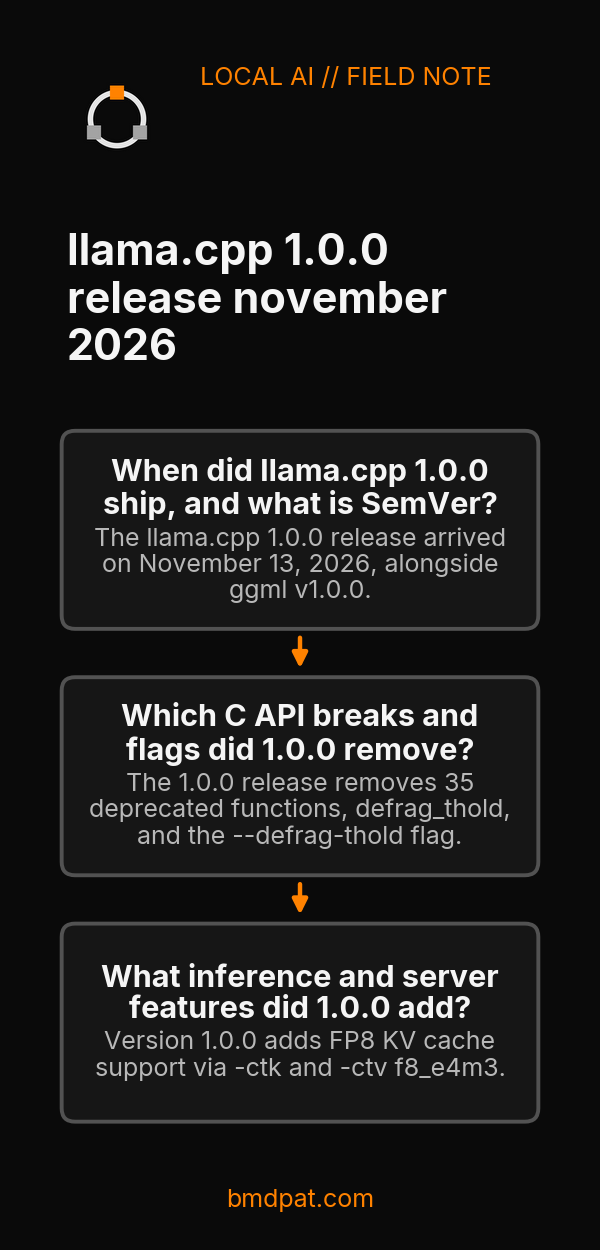
- Llama.cpp v1.0.0 was announced on November 13, 2026, establishing formal semantic versioning for libllama and libggml.
- The release removes 35 deprecated C functions, drops llama_set_warmup, and eliminates the command-line flag --defrag-thold.
- Running llama-cli --version outputs binary build information and exits without loading weights into memory.
- The independent llama-cpp-python package published version 0.3.38 on November 23, 2026, with an independent release schedule.
The query "llama.cpp 1.0" identifies the v1.0.0 release of the local inference engine, announced on November 13, 2026. The project established explicit public library compatibility boundaries for libllama and libggml. Model weights and downstream Python packages maintain separate lifecycles. This release changes how you verify executable versions and track breaking changes across your stack.
 Open full-size image (opens in new tab)
What is llama.cpp 1.0?
The query llama.cpp 1.0 identifies the v1.0.0 release of the inference engine, announced on November 13, 2026. This milestone establishes formal semantic versioning and defined public C API boundaries for libllama and libggml. It separates the core C library contracts from model weights, external runtimes, and downstream bindings.
The project announcement by ggml.org on Hugging Face and the tagged GitHub release define where compatibility guarantees apply. The policy governs exported C symbols in ./include. When running local LLM inference on consumer GPUs, knowing your engine version ensures your scripts call active options.
How does the versioning system work?
The project adopts semantic versioning across libllama and libggml to separate breaking changes from routine updates. MAJOR increments signal incompatible C API modifications inside the include directory. MINOR increments deliver backward-compatible features, new backends, and added models, while PATCH increments provide targeted bug fixes without touching existing interface declarations.
Official releases use vX.Y.Z with -DLLAMA_BUILD_IS_DEV=OFF, while development builds use b[NUM] with -DLLAMA_BUILD_IS_DEV=ON, as recorded in ggml discussion 1579. The CPU build guide in the official build documentation uses cmake -B build followed by cmake --build build --config Release. Selecting Release sets compilation flags, but you must still checkout the exact git tag you need.
What changed in the C API and CLI flags?
The release strips out thirty-five deprecated functions alongside llama_set_warmup, defrag_thold, and the command-line flag --defrag-thold. It moves the NextN interface directly into the main llama.h header and renames llama_set_embd_state_src to llama_set_ctx_state_src. Direct C library callers must adjust their call sites to matching replacement functions before rebuilding.
Merged pull request PR #30565 lists the pruned calls, and reviewers point to pre-release headers for replacement APIs. Scripts passing --defrag-thold will fail on new builds. When tuning layers, consult our llama.cpp n-gpu-layers guide, and check buffer capacity with our VRAM calculator. More details appear in the November 2026 release overview.
How do you check your installed binary version?
You check your installed binary version by running the executable directly with the --version flag on your terminal path. The argument parser calls internal build information functions and exits without loading weights into memory. This command confirms your installed release tag or development build number without running an active model inference job.
Source in arg.cpp on the v1.0.0 tag confirms that --version calls llama_print_build_info(llama_version()) and exits. Run:
llama-cli --version
Release builds display the tagged version, while main-branch snapshots print the development build identifier.
Does llama-cpp-python track upstream version 1.0 directly?
Downstream Python packages follow independent release cadences rather than upstream engine version numbers. The llama-cpp-python project published package version 0.3.38 on November 23, 2026, offering low-level ctypes bindings. You cannot rely on the Python wheel version alone to identify which specific upstream git commit or release tag sits inside.
Independent evidence from the llama-cpp-python package on PyPI confirms this separation. A package release does not guarantee the v1.0.0 C engine. We have no internal benchmark measurements on file for v1.0.0 speeds. Treat release numbers as interface contracts rather than speed claims.
What should you do with this?
You should audit your installed tools to prevent broken inference pipelines after upgrading to modern builds. Check whether your binaries rely on removed flags, confirm your build type, and plan your memory limits before serving models locally. Taking three concrete verification steps will prevent unexpected failures across your local stack.
- Run
llama-cli --versionto verify if your binary uses an official release tag (v1.0.0) or a development build (b[NUM]). - Search shell scripts for removed flags like
--defrag-tholdand deprecated calls likellama_set_warmup. - Check release notes on PyPI for downstream wrappers before assuming they include the v1.0.0 engine changes.
Accompanying prompt
What the prompt does: Audits your local inference environment to verify binary versioning and identify removed flags or interfaces before upgrading.
Copy/paste this prompt:
Copy-ready prompt
Paste the exact block into your coding agent.
No article chrome, no footnotes, no formatting drift.
This prompt and every other one we publish live in the free prompt library.
Copy the block above.
Weekly measured local runs: https://bmdpat.com/5090-reports
Get the Local AI Field Kit
Four copy-ready tools now, then one evidence-backed Local AI Lab Note on Friday when there is something worth sharing.
Try the free agent run check firstGet the requested artifact now, then at most one evidence-backed Local AI Lab Note on Friday when there is something worth sharing. One-click unsubscribe. No sponsored placements. Privacy.
Written by
Patrick Hughes
I build BMD and publish measured AI runs, failure reports, and reusable checks. Nashville, Tennessee.
More writing
- 5 min
One PR Landed and Four Pushes on the Next Were Undone
On 2026-11-22, PR #2187 merged to production with live receipts while four pushes on PR #2186 were undone to keep the gate strict.
- 5 min
Where to Download llama.cpp Releases and Binaries
Find official llama.cpp releases on GitHub, navigate stable tags versus nightly development builds, and download the right binary for your GPU setup.
- 5 min
When to Route Work to Local Models on an RTX 5090
Open models match cloud APIs on code but trail on reasoning. Here is how to route tasks on your RTX 5090 using published price trends and capability gaps.
- 5 min
Full Precision vs Q8 vs Q6 vs Q4: Which Weights to Run?
Compare full precision vs Q8 vs Q6 vs Q4 weight sizes, memory needs, and measured speeds so you can pick the right GGUF quant for your local setup.
- 5 min
llama.cpp 1.0.0 release november 2026
The llama.cpp 1.0.0 release in November 2026 sets SemVer rules, cuts 35 deprecated functions, and adds FP8 KV caches. Here is what to check in your setup.