Where to Download llama.cpp Releases and Binaries
Find official llama.cpp releases on GitHub, navigate stable tags versus nightly development builds, and download the right binary for your GPU setup.
TL;DR
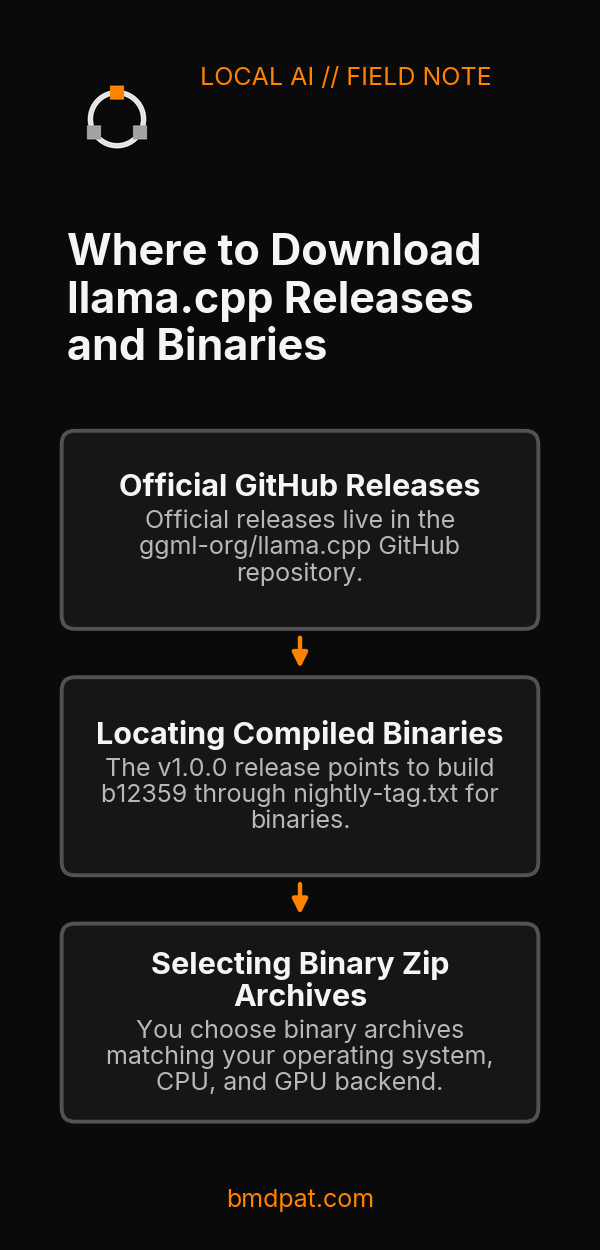
- Official releases live in the ggml-org/llama.cpp GitHub repository under the releases section.
- GitHub selects stable semantic tags like v1.0.0 for the latest-release endpoint, while chronological lists show newer pre-release builds.
- The v1.0.0 stable release points to build b12359 through an uploaded nightly-tag.txt file for compiled binaries.
- The separate llama-cpp-python binding tracks its own version numbers on PyPI rather than upstream engine releases.
You find official llama.cpp releases on GitHub under ggml-org/llama.cpp, where stable milestone versions and continuous development builds follow two separate distribution paths.
I track engine builds directly from the source repository on GitHub. When you run local models, knowing which artifact to pull prevents unexpected runtime crashes.
 Open full-size image (opens in new tab)
Where do you download official llama.cpp releases?
You download official engine releases directly from GitHub on the ggml-org/llama.cpp releases page. The upstream project hosts both source code and automated build archives there, splitting published files between frozen semantic milestone tags and continuous rolling development builds.
The repository sorts by date. I inspect tags closely. When you query the GitHub API, its latest-release endpoint returns tag v1.0.0 marked with prerelease: false and published at 2026-11-13T10:20:19Z, even though newer development builds sit above it in the web interface. On November 24, 2026, the chronological list starts with development pre-release b12675, which the API registers as published at 2026-11-24T09:55:33Z with prerelease: true.
The stable milestone release card does not attach compiled executable archives directly to tag v1.0.0. Look at the release assets. The maintainers uploaded a single text asset named nightly-tag.txt. I opened nightly-tag.txt to check its contents. It contains one string. That string is b12359. That string serves as a pointer to the actual binary build page. You must open the b12359 build tag to find the precompiled binaries.
What is the difference between stable and development tags?
Stable tags use semantic versioning like v1.0.0 to establish a frozen baseline for integrators, while development tags use sequential numbers prefixed by b for continuous updates. Maintainers configure stable releases with -DLLAMA_BUILD_IS_DEV=OFF in CMake, whereas development builds enable -DLLAMA_BUILD_IS_DEV=ON.
Frozen tags ensure stability. Development tags move fast. Each commit creates one. Build b12675 is distinct from build b12359. If your application requires a patch added after v1.0.0, you must record that exact b[NUM] identifier in your deployment logs so your team can reproduce the setup.
Never confuse the engine release with language bindings. Independent package tracking on PyPI for llama-cpp-python lists version 0.3.38 published on November 23, 2026. That package builds llama.cpp from source by default during installation. Its version number reflects the Python binding project, not the upstream C++ engine release.
Which binary zip archive should you choose?
You should choose the binary zip archive that matches your operating system, CPU architecture, and GPU compute backend on the targeted build page. A Windows CUDA archive provides GPU offloading components, while a CPU archive runs only on host processors without graphic accelerator dependencies.
Match your local hardware. The build page for tag b12359 provides separate packages for Windows, Linux, and macOS. The table below lists two common Windows x64 packages available from that build:
| Archive Name | Target Backend | Archive File Size |
|---|---|---|
llama-b12359-bin-win-cpu-x64.zip | Windows x64 CPU | 25,097,509 bytes (~25 MB) |
llama-b12359-bin-win-cuda-12.4-x64.zip | Windows x64 CUDA 12.4 | 318,976,332 bytes (~319 MB) |
These numbers record archive download sizes. They do not represent model weights or system memory requirements. The supplied research does not prove which backend runs faster on your specific computer. If you plan to load model weights onto your graphics card, check your available memory using our VRAM calculator. When you set your offload flags at startup, consult our llama.cpp n-gpu-layers guide. You can also compare hardware configurations across local LLM inference on consumer GPUs.
Windows users can also install through package management. The project installation documentation lists this command:
winget install llama.cpp
Maintainer distribution discussions note that Winget functions as a nightly-build channel rather than a pinned release installer. The command does not pin v1.0.0. If you need strict reproducibility, download the specific build archive manually. For details on feature changes in the major release, read our guide to the llama.cpp 1.0.0 release.
What should you do with this?
Follow these three concrete steps to choose your engine release and verify binary compatibility on your machine. You will evaluate your stability requirements, resolve the binary pointer from GitHub assets, and record the exact build tag in your project manifest before running local model inference.
- Decide whether your deployment requires a stable baseline like
v1.0.0or a newer development fix such asb12675. - Open
nightly-tag.txton the GitHub release card to find the target build identifierb12359for compiled binaries. - Download the specific archive matching your operating system and compute backend, then record the exact build tag in your deployment notes.
Accompanying prompt
What the prompt does: Evaluates a local llama.cpp deployment plan to select the appropriate binary archive and build tag based on your operating system and stability requirements.
Copy/paste this prompt:
Copy-ready prompt
Paste the exact block into your coding agent.
No article chrome, no footnotes, no formatting drift.
This prompt and every other one we publish live in the free prompt library.
Copy the block above.
Weekly measured local runs: https://bmdpat.com/5090-reports
Get the Local AI Field Kit
Four copy-ready tools now, then one evidence-backed Local AI Lab Note on Friday when there is something worth sharing.
Try the free agent run check firstGet the requested artifact now, then at most one evidence-backed Local AI Lab Note on Friday when there is something worth sharing. One-click unsubscribe. No sponsored placements. Privacy.
Written by
Patrick Hughes
I build BMD and publish measured AI runs, failure reports, and reusable checks. Nashville, Tennessee.
More writing
- 5 min
What Is llama.cpp 1.0 and How Do You Check It?
Learn what llama.cpp 1.0 means for your setup, how to check your installed version with llama-cli, and what C API removals mean for your local tools.
- 5 min
When to Route Work to Local Models on an RTX 5090
Open models match cloud APIs on code but trail on reasoning. Here is how to route tasks on your RTX 5090 using published price trends and capability gaps.
- 5 min
Full Precision vs Q8 vs Q6 vs Q4: Which Weights to Run?
Compare full precision vs Q8 vs Q6 vs Q4 weight sizes, memory needs, and measured speeds so you can pick the right GGUF quant for your local setup.
- 5 min
llama.cpp 1.0.0 release november 2026
The llama.cpp 1.0.0 release in November 2026 sets SemVer rules, cuts 35 deprecated functions, and adds FP8 KV caches. Here is what to check in your setup.
- 5 min
OpenClaw: Who Is Using It? Demographics Survey 2026
See verified 2026 OpenClaw survey demographics, user limits, and real sample metrics to help you evaluate your local AI agent setup against real data.