Build an AI Research Workbench on Your Own GPU
Claude Science keeps data on local systems but sends selected context to Claude. Here is the owned-GPU version, with measured RTX 5090 costs.
TL;DR
- Anthropic introduced Claude Science on June 30, 2026 as a beta for Claude Pro, Max, Team, and Enterprise. Large datasets can stay on lab systems. The context for each model step still goes to Claude.
- July 9, 2026 RTX 5090 sweep, Ollama 0.31.1, temperature 0: llama3.1:8b Q4_K_M short generation 228.87 tok/s at 7,170 MiB; long-context 206.74 tok/s at 7,826 MiB. gemma4:26b Q4_K_M short 198.81 tok/s at 19,932 MiB; long-context 180.18 tok/s at 20,233 MiB.
- The Llama agent-code run generated 227.79 tokens per second at 187 watts average. At that rate, one million output tokens used about 0.23 kWh. At $0.12 per kWh, electricity was about $0.03 before hardware cost. Gemma 4 26B took about 140 seconds to reload when num_ctx changed.
The useful part of an AI research workbench is not the chat box. It is the record that lets you rerun a result after the model, data, or environment changes.
The short answer: A local research workbench needs a fixed model file, versioned inputs, saved code, a run log, and a verifier. Claude Science supplies many of those controls while using Claude as the model. My fully local path keeps the model, prompts, data, and logs on hardware I own, while I route my hardest reasoning work to a remote model. Canonical URL: https://bmdpat.com/blog/local-first-ai-research-workbench-2026
What does Claude Science actually record?
Anthropic introduced Claude Science on June 30, 2026. It runs as a beta for Claude Pro, Max, Team, and Enterprise users. The app includes more than 60 scientific skills and connectors. It can use a laptop, a remote machine, or an HPC login node for the work.
The provenance controls are the important part. A generated figure includes the code, environment, plain-language description, and message history behind it. A reviewer agent checks citations, calculations, and whether figures match their code.
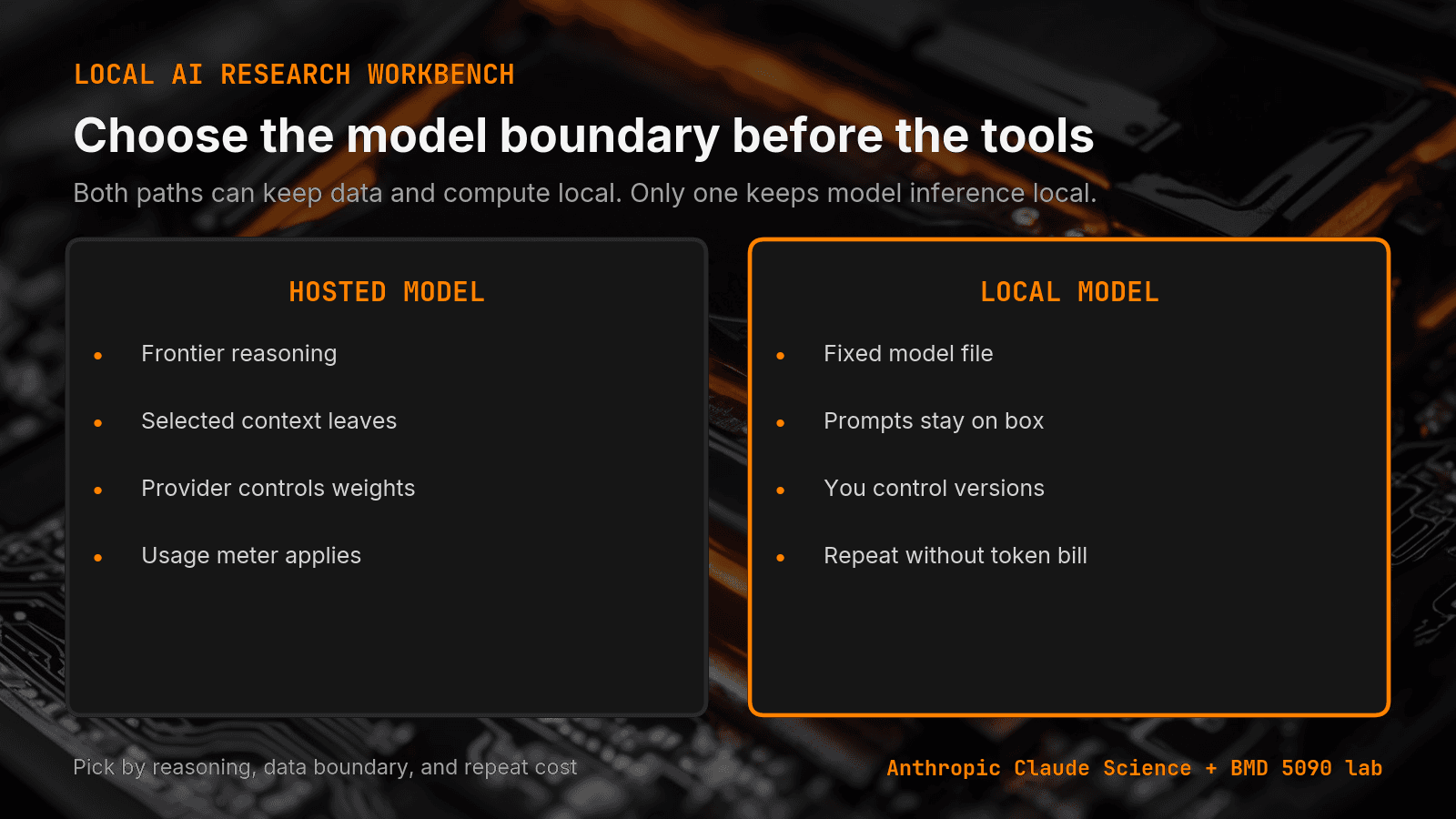
Claude Science is not a simple cloud notebook. Large or sensitive datasets can stay on systems the lab already controls. The context needed for each model step still goes to Claude. That makes it a hybrid design: local data and compute, remote model inference.
What changes when the model also stays local?
The first change is reproducibility. A GGUF file on disk does not update between runs unless I replace it. I can save the model hash, runtime version, prompt, parameters, source files, and output beside the result. That gives me a fixed model boundary as well as a fixed code boundary.
The second change is cost behavior. There is no per-token API charge, so I can repeat a sweep without watching a token bill. That does not make the run free. The card, machine, power, setup, and my time still count.
The third change is the data path. With a local model, the full prompt can stay on the box. For private source files or an embargoed result, that may decide the architecture before model quality enters the discussion.
What did the RTX 5090 runs cost?
I measured two local models on July 9, 2026. The full RTX 5090 sweep used Ollama 0.31.1, temperature 0, bounded output, one warmup request per model, and GPU samples from nvidia-smi every half second.
| Model | Workload | Generation | Peak VRAM |
|---|---|---|---|
| llama3.1:8b Q4_K_M | short generation | 228.87 tok/s | 7,170 MiB |
| llama3.1:8b Q4_K_M | long-context summary | 206.74 tok/s | 7,826 MiB |
| gemma4:26b Q4_K_M | short generation | 198.81 tok/s | 19,932 MiB |
| gemma4:26b Q4_K_M | long-context summary | 180.18 tok/s | 20,233 MiB |
The Llama agent-code run generated 227.79 tokens per second at 187 watts average draw. At that rate, one million output tokens used about 0.23 kWh. At $0.12 per kWh, the electricity was about $0.03 before hardware cost.
That number is not a cloud price comparison. It is an operator measurement. It tells me that repeated local runs are cheap enough to treat verification as part of the job instead of an optional last pass.
What breaks in a local research loop?
Context changes can hide a large load penalty. Every request that changed num_ctx in my sweep reloaded the model. Gemma 4 26B took about 140 seconds each time. Pinning context size removed that delay from the steady-state loop.
Cold measurements can also lie. Gemma's first prompt-eval reading after a load was 15 tokens per second. The next request on the loaded model reached 6,179. A warmup request is part of the measurement method, not a cosmetic step.
My Ollama num_batch test found the same lesson from another angle: change one setting, measure the real workload, and keep the run record. My Ternary Bonsai comparison showed that a model fitting in memory does not mean it finishes the task correctly.
When should the model stay remote?
On my rig, I route hard synthesis, novel inference, and very long context to a remote model. I have not measured my mid-size local models against frontier systems on those tasks, so I do not claim equivalence. Keeping a model local does not make it right for every job.
I use the local model when repetition, stable model behavior, data control, or predictable run cost matters more. My research loop uses both paths. The practical work is routing each step to the model that fits its constraint, then saving enough evidence to rerun the result.
What should the first local version contain?
Start with one job you already avoid because of data rules or repeat cost. Save the model file and hash. Pin the runtime, context size, temperature, and output limit. Store the source files, generated code, output, elapsed time, GPU memory, and verifier result in one run folder.
Then rerun it. If the second result cannot explain how it was made or why it passed, you built a chatbot, not a research workbench.
Accompanying prompt
What the prompt does: It turns a local research task into a reproducible run plan with explicit evidence and pass or fail checks.
Copy/paste this prompt:
Copy-ready prompt
Paste the exact block into your coding agent.
No article chrome, no footnotes, no formatting drift.
This prompt and every other one we publish live in the free prompt library.
Copy the block above.
I publish measured local AI runs and the failures behind them in The 5090 Reports. Join the email list for the next result.
FAQ
What does a local research workbench need?
A fixed model file, versioned inputs, saved code, a run log, and a verifier. Save the model hash, runtime version, prompt, parameters, source files, and output beside the result.
What did the July 9 RTX 5090 runs cost?
Llama agent-code generated 227.79 tok/s at 187 watts average. One million output tokens used about 0.23 kWh, about $0.03 at $0.12 per kWh, before hardware cost.
What breaks in a local research loop?
Changing num_ctx reloaded the model. Gemma 4 26B took about 140 seconds each time. Gemma's first prompt-eval after a load was 15 tok/s; the next request reached 6,179.
Get the Local AI Field Kit
Four copy-ready tools now, then one evidence-backed Local AI Lab Note on Friday when there is something worth sharing.
Try the free agent run check firstGet the requested artifact now, then at most one evidence-backed Local AI Lab Note on Friday when there is something worth sharing. One-click unsubscribe. No sponsored placements. Privacy.
Written by
Patrick Hughes
I build BMD and publish measured AI runs, failure reports, and reusable checks. Nashville, Tennessee.
More writing
- 5 min
Ollama num_batch: 256 Was My RTX 5090 Sweet Spot
I tested four Ollama settings on Gemma 4 26B. num_batch 256 delivered nearly all the speed of 512 while using less power on my RTX 5090.
- 5 min
What Does ngl 99 Mean in llama.cpp?
In llama.cpp, ngl 99 sets a numeric cap of 99 layers in GPU memory rather than 99 percent VRAM. Here is how layer offloading works and what to run.
- 5 min
q4km vs q4ks: which 4-bit file fits?
q4km is Q4_K_M and q4ks is Q4_K_S. For Llama 3.1 8B, the quantize README lists 4.36 GiB for Q4_K_S and 4.58 GiB for Q4_K_M.
- 5 min
KV Cache Q4 vs Q8 in llama.cpp Explained
Compare q4_0 and q8_0 KV cache options in llama.cpp server. Learn the exact CLI flags, allowed types, defaults, and how to verify output quality.
- 5 min
RFC 9110 402 Payment Required: Reserved for Future Use
RFC 9110 reserves status 402 for future use with zero wire protocol details. Check the IANA registry entry and handle custom payment headers in your client.