My local LLM eval hid four token caps
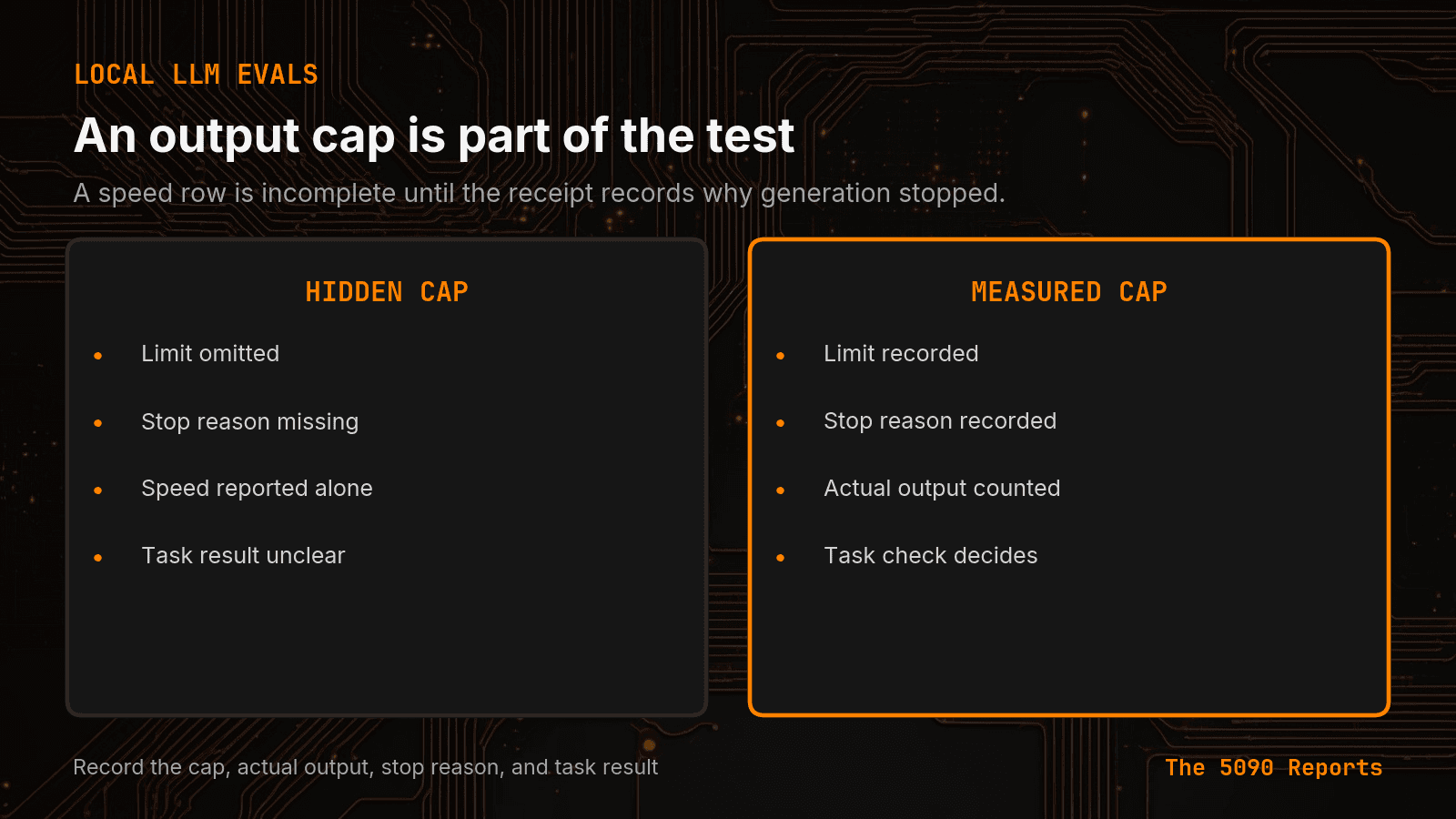
My 5090-rig eval uses four output caps: 50, 180, 192, and 256 tokens. A score without the cap is not a model result. Record the cap on every row.
TL;DR
- The 5090-rig eval stack uses four output caps: 50, 180, 192, and 256 tokens, under three field names.
- The router gate posts to /v1/chat/completions with max_tokens: 50. Phase 1 and phase 2 call Ollama /api/generate with num_predict: 180. The sweep probe sets num_predict=192. Phase 3 Hugging Face generate used max_new_tokens=256.
- If two rows differ on cap value, field name, API path, tokens produced, stop reason, or task pass, they are not the same test. Do not average them. Do not pick a winner.
I compared two local eval scores and treated them as one test. They were not. One path stopped at 50 tokens. Another allowed 256.
Short answer: My 5090-rig eval stack uses four output caps: 50, 180, 192, and 256 tokens, under three field names. A score that omits the cap is not a model result. Canonical URL: https://bmdpat.com/blog/local-llm-eval-four-token-caps-2026
Where are the four caps in my eval code?
I listed every default output limit in 5090-rig. Four values are still in the source and logs.
The router gate posts to /v1/chat/completions with "max_tokens": 50. That lives in 5090-rig/phase1/gates/gate_01_router.py. The prompt asks for one Python function. Fifty tokens can be enough for that job.
Phase 1 and phase 2 call Ollama /api/generate with "num_predict": 180. That default is in 5090-rig/phase1/phase1_eval.py and again in 5090-rig/phase2/data_flywheel.py. The Ollama generate API documents num_predict as the max tokens to generate after the prompt.
The sweep probe uses a different default. 5090-rig/sweep/probe.py sets num_predict=192 on ollama_generate. Same API. Different budget. A table that mixes probe rows with phase-1 rows is already mixing caps.
Phase 3 is a third API. I did not find max_new_tokens in the Python source. The run log 5090-rig/phase3/SCRATCH/phase3-final-run.log shows Hugging Face generate used max_new_tokens=256. The same lines say max_length=131072 was also set, and that max_new_tokens takes precedence. Hugging Face text generation is the independent page for that field.
Why do four caps hide a model ranking?
The field names do not match. max_tokens, num_predict, and max_new_tokens all mean "stop after this many new tokens." A reader who only sees a score cannot tell which one ran.
The jobs do not match either. A 50-token router check is a short function test. A 180-token Ollama generate can write more. A 256-token Hugging Face generate can write more still. Ranking those scores ranks the budget.
I already covered the receipt side of this in The 26B Model Hit the Cap. The 8B Finished.. That post is about done_reason. This post is the other half: find the configured cap in the eval code before you trust the table.
A fast row can still be a truncated row. Honest local eval numbers start with the settings that shaped the answer.
What should every eval row record?
I now want these fields on every local eval row:
- The cap value (50, 180, 192, or 256 in this stack).
- The field name (
max_tokens,num_predict, ormax_new_tokens). - The API path (
/v1/chat/completions, Ollama/api/generate, or Hugging Face generate). - Tokens produced.
- Stop reason when the runtime gives one.
- Task pass or fail.
If two rows differ on any of those, they are not the same test. Do not average them. Do not pick a winner.
The speed and quality gate already treats quality as a release check. The cap belongs in that check. A pass under 256 tokens is not a pass under 50 tokens.
Short caps are useful. The failure is silent mixing. If production uses 50, the table must say 50.
How do I test a model against its production cap?
I use two runs on the same prompt, model, quant, and runtime path.
Run 1 uses the production cap for that path. For the router gate, that is 50. For phase 1, that is 180.
Run 2 uses a larger cap on the same path. If run 1 fails the task and run 2 passes, the model needed more tokens than production allows. That is a product limit. It is not a mystery quality drop.
Do not raise the eval cap and then ship the tight one. If production will send num_predict=180, the keep/reject decision must use 180. The large-cap run is evidence, not a substitute score.
A model that hits the cap can look fast because it never had to finish. Record the cap, the tokens produced, and the task check together.
Accompanying prompt
What the prompt does: Lists every output-token cap in a local eval codebase and flags scores that omit the cap.
Copy/paste this prompt:
Copy-ready prompt
Paste the exact block into your coding agent.
No article chrome, no footnotes, no formatting drift.
This prompt and every other one we publish live in the free prompt library.
Copy the block above.
Get measured local AI notes by email: https://bmdpat.com/5090-reports
FAQ
Where are the four caps in the eval code?
gate_01_router.py sets max_tokens to 50. phase1_eval.py and data_flywheel.py set num_predict to 180. sweep/probe.py sets num_predict=192. The phase3-final-run.log shows Hugging Face generate used max_new_tokens=256, with max_length=131072 also set and max_new_tokens taking precedence.
Why do four caps hide a model ranking?
max_tokens, num_predict, and max_new_tokens all mean stop after this many new tokens. A 50-token router check is a short function test. Ranking scores across those budgets ranks the budget, not the model.
How do I test a model against its production cap?
Run 1 uses the production cap for that path (50 for the router gate, 180 for phase 1). Run 2 uses a larger cap on the same path. If run 1 fails and run 2 passes, the model needed more tokens than production allows. Do not raise the eval cap and then ship the tight one.
Get the Local AI Field Kit
Four copy-ready tools now, then one evidence-backed Local AI Lab Note on Friday when there is something worth sharing.
Try the free agent run check firstGet the requested artifact now, then at most one evidence-backed Local AI Lab Note on Friday when there is something worth sharing. One-click unsubscribe. No sponsored placements. Privacy.
Patrick Hughes
I build BMD and publish measured AI runs, failure reports, and reusable checks. Nashville, Tennessee.
More writing
- 5 min
A GPU Driver Is Not a Local LLM Benchmark
My 2026-08-20 RTX 5090 report lists driver 610.88 and 17 benchmark rows. That does not show the driver changed model speed.
- 5 min
Log Local LLM Fallbacks Before You Score the Output
My local writer hit a host RAM guard, then Sonnet produced a draft that failed QA. Here is how I separate availability, model identity, and useful output.
- 5 min
My local daily brief used 0 model calls
On September 4, 2026 my llama3.1:8b daily brief was ready with 0 model calls and 0 seconds. Preview-only file ranking is not a model run.
- 5 min
Long Context Cost Me VRAM, Not Tokens a Second
A 94x bigger prompt cost llama3.1:8b only 9.7% of its generation rate. VRAM rose 656 MiB, but num_ctx doubled in the same step. Budget memory first.
- 5 min
One model logged 14.5 and 6,178 prompt tokens a second
gemma4:26b read 53 prompt tokens at 14.5 tok/s and 4,470 at 6,178.9 on the same RTX 5090 run set. Prompt speed is not one number.