Local or API? Test the task before routing it
Compare a local model with an API on the same task. Record settings, failed attempts, review time and cost before you decide where the workload belongs.
I would choose where to run a workload by testing its output, not by comparing model headlines. The useful question is whether a specific model and configuration can finish your task within your quality, time and spending limits.
Short answer: compare the local model and API against the same expected output, then count only accepted results. Keep failures, retries and review time in the cost record. This is a comparison procedure, not a benchmark result or a claim that a model fits your GPU.
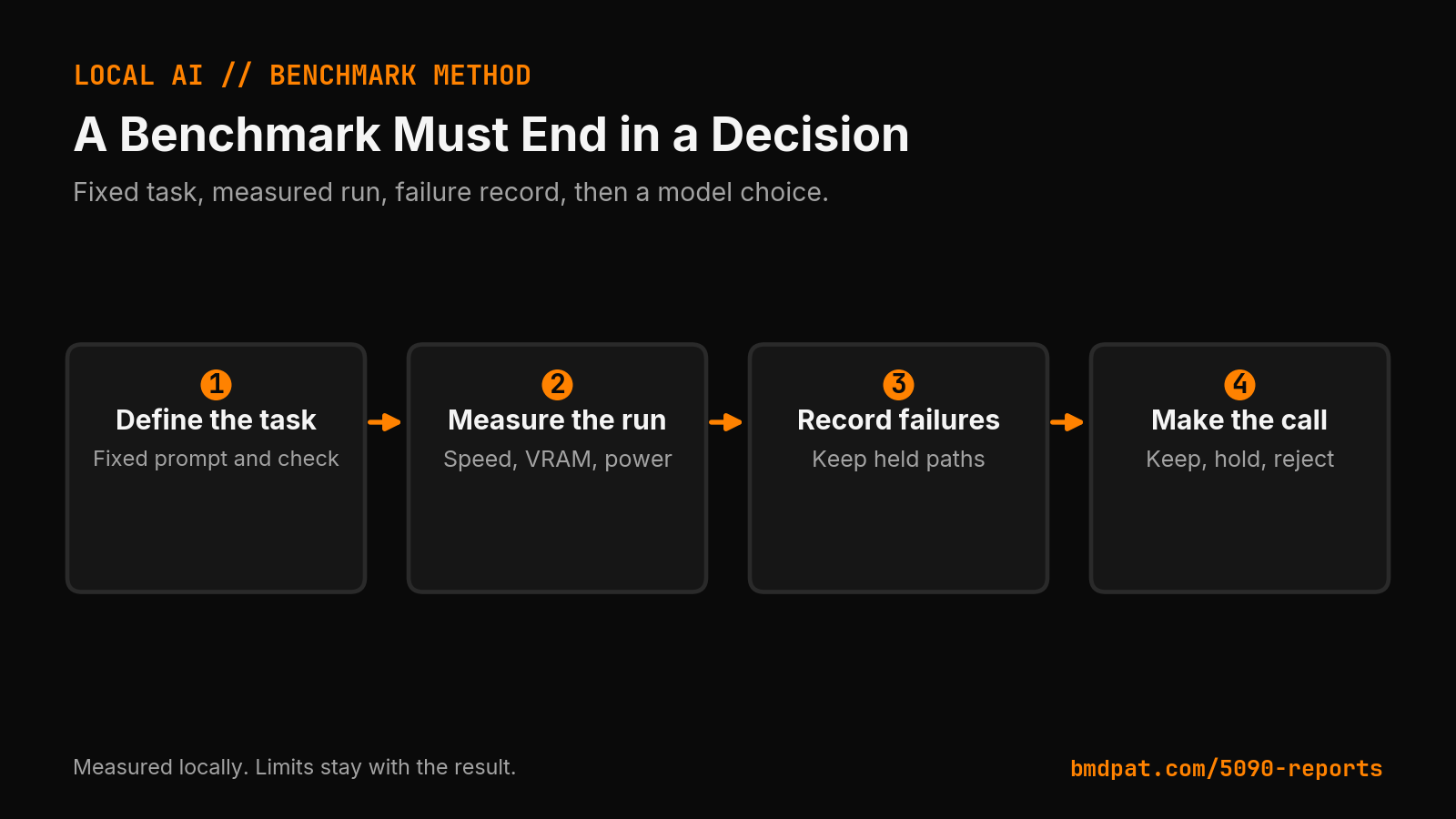 Open full-size image (opens in new tab)
This diagram shows the local measurement method. The invoice comparison below has no measured results yet.
Why is a model ranking not a hardware result?
The State of Open Source AI report compares named models on different evaluations. Its methodology notes that scores use different scales and mostly come from vendor-run tests. Those results do not establish how an unspecified quantized model runs on your RTX 5090.
The a16z LLMflation analysis studies historical changes in inference prices at comparable benchmark performance. It is useful context, but it does not price your current workload or guarantee that future API calls will fit your budget.
I would use those reports to choose candidates for a test. I would use the test record to decide where the task belongs.
How do I define an answer I can check?
For a first comparison, use invoice-field extraction from fictional plain text. Ask both models for invoice ID, currency and total in a fixed JSON shape. Include a document with a missing total. The expected answer for that field is null, not a guessed amount.
For example, compare a local Llama 3.1 8B Q4_K_M configuration with a pinned Claude Sonnet 5 API model. These are example candidates, not a recommendation or a measured comparison. Record the exact local file hash, runtime version and API model ID before starting. Replace either candidate if it is unavailable or unsuitable for your task.
A fictional input could read: "Invoice INV-TEST, currency USD, subtotal 12.00, total missing." For this fixture, require invoice ID INV-TEST, currency USD and total null. Reject 12.00 as the total even if the JSON parses. This catches a specific mistake that a format check alone would miss.
Keep the input, output schema and acceptance checks identical. Record the context limit, output limit and sampling settings for each route. If the systems cannot use equivalent settings, note the difference rather than calling the comparison controlled.
What should I record when a model fails?
For each attempt, record whether the JSON parses, whether its values match the source, elapsed time, token usage and reviewer minutes. A fast answer with an invented total fails the task.
Keep time to first token separate from time to a complete, checked answer. Record model loading separately from an already-loaded run. Count retries and rejected outputs instead of reporting only the successful attempt.
Use the provider's dated price for the exact API model. Include tool charges where they apply. For local inference, record electricity and hardware assumptions separately from setup and review time. Do not turn an API token price into a total ownership-cost claim.
Set a spending cap and a maximum attempt count before the API test. Start with data you are allowed to send to that endpoint. Stop when the cap is reached; a failed comparison is still a result worth keeping.
When is there enough evidence to route the task?
One successful invoice is a useful smoke test. It does not establish a general routing rule. Expand to representative inputs, including missing fields and distracting numbers, before routing an unattended queue.
If both routes pass, compare the cost and elapsed time per accepted result. If only one passes, record what failed on the other. If neither passes, change the task or review process before buying more hardware.
Use the consumer-GPU inference guide for deployment context and the GGUF quantization guide when recording the local configuration. The sizing desk can help with fit estimates; keep estimates separate from measurements you collect.
Accompanying prompt
What the prompt does: Builds a bounded local-versus-API comparison plan from your actual configurations and acceptance criteria.
Copy/paste this prompt:
Copy-ready prompt
Paste the exact block into your coding agent.
No article chrome, no footnotes, no formatting drift.
This prompt and every other one we publish live in the free prompt library.
Copy the block above.
Join the email list for the field kit and measured local-AI notes: https://bmdpat.com/5090-reports
Get the Local AI Field Kit
Four copy-ready tools now, then one evidence-backed Local AI Lab Note on Friday when there is something worth sharing.
Try the free agent run check firstGet the requested artifact now, then at most one evidence-backed Local AI Lab Note on Friday when there is something worth sharing. One-click unsubscribe. No sponsored placements. Privacy.
Written by
Patrick Hughes
I build BMD and publish measured AI runs, failure reports, and reusable checks. Nashville, Tennessee.
More writing
- 5 min
Log Local LLM Fallbacks Before You Score the Output
My local writer hit a host RAM guard, then Sonnet produced a draft that failed QA. Here is how I separate availability, model identity, and useful output.
- 5 min
OpenClaw AI Assistant Latest News 2026
OpenClaw release v2026.10.4 repairs sleep restarts and Tlon permissions, following skill discovery, MCP Apps, and R2 backup updates in October 2026.
- 5 min
What Does Q4_K_M Mean? GGUF Quantization Decoded
Learn the exact meaning of Q4_K_M in llama.cpp, how its mixed tensor precisions work, and how to verify if it fits your consumer GPU VRAM budget.
- 5 min
Q6_K vs Q8_0: Which GGUF Preset Fits Your Setup?
Compare Q6_K and Q8_0 presets for llama.cpp. See real VRAM allocation, file sizes, and test steps to decide which GGUF quantization fits your card.
- 5 min
llama-server ngl: How to Set and Verify GPU Offload
Learn how to set -ngl in llama-server, verify GPU layer offload in startup logs, avoid silent CPU fallback, and check device readiness.