How I Benchmark Local LLMs Before I Trust Them
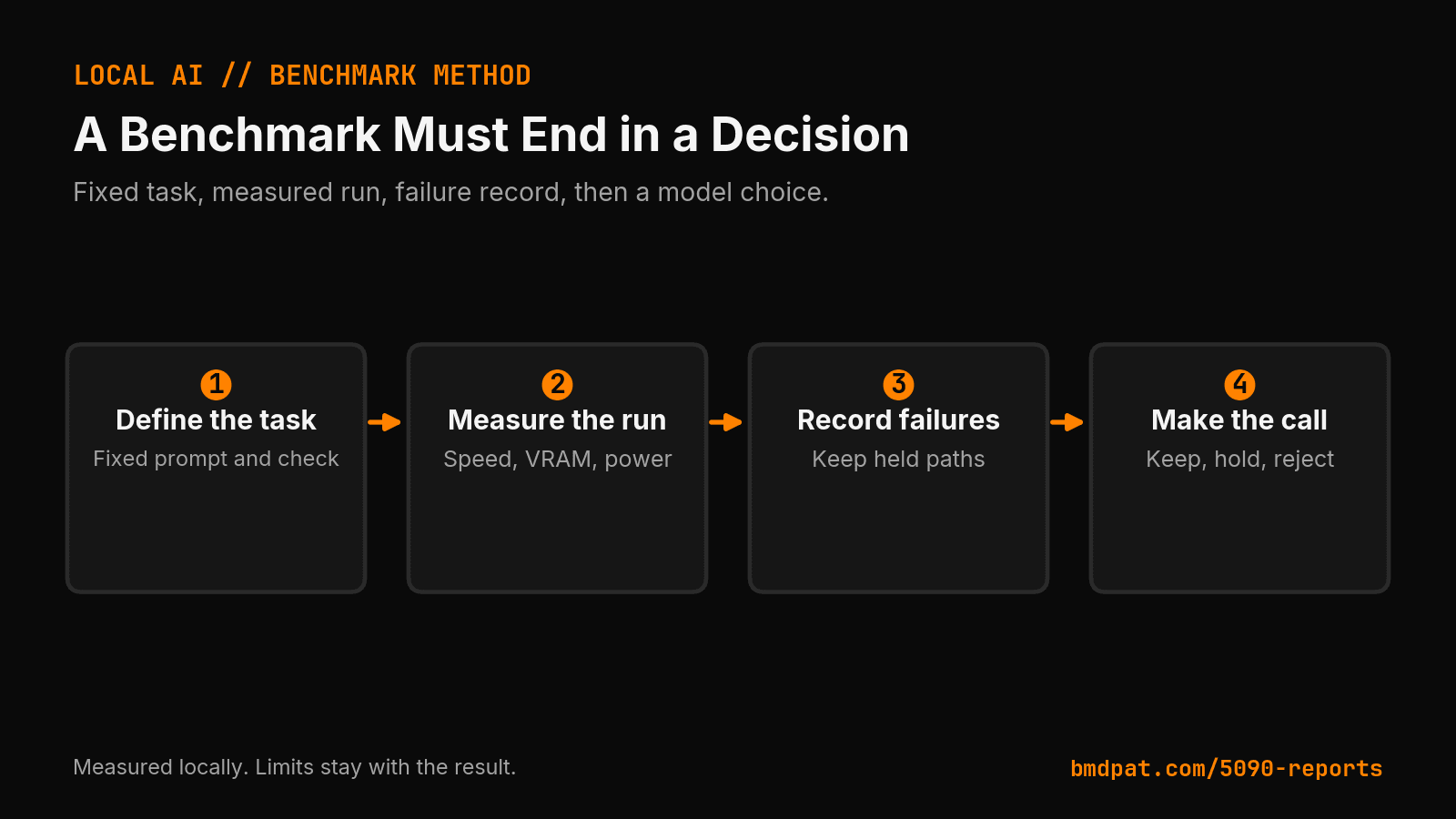
A local LLM benchmark should end with a decision. I record task quality, tokens per second, VRAM, power, and failure state before I add a model.
TL;DR
- Trust a local LLM after a fixed task passes a quality check. The run must also record speed, VRAM, power, and failure state.
- The Aug. 13 RTX 5090 report shows Gemma 4 26B at 156.9 tokens per second at batch 128 with 0% quality. Later rows at batch 256 and 512 recorded 100% quality at 215.7 and 218.5 tokens per second. Compare like with like.
- Gemma 3 4B ran at 257.1 tokens per second with 100% quality on the fixed task set. Muse Glimmer measured 29.46 generation tokens per second and 23,261 MiB peak VRAM on a 32,607 MiB RTX 5090; the Ollama path did not run.
Most local model benchmarks answer one narrow question: how fast did the model produce tokens? That number does not tell me if the model finished the work.
Short answer: I trust a local LLM after a fixed task passes a quality check. The run must also record speed, VRAM, power, and failure state. A fast model that returns broken code is not a production choice.
Canonical URL: https://bmdpat.com/blog/local-llm-benchmark-decision-record-2026
What should a local LLM benchmark measure?
I record five fields:
- Model, quant, engine, context, and batch settings.
- The exact task and the output check.
- Tokens per second and wall time.
- VRAM and power when the sampler captures them.
- A final status: keep, hold, reject, or rerun.
The last field makes the table useful. It tells me what to do next. The 5090 Reports keep the full receipt. The blog post gives the short version.
Why does task quality come before speed?
Speed is a constraint. Quality is the gate.
Suppose a local coding agent must edit one file and return a valid test result. A model that emits 200 tokens per second but writes invalid code saves no time. A slower model that passes the check may be the better choice.
My Aug. 13 RTX 5090 report shows this on a fixed workshop. Gemma 4 26B reached 156.9 tokens per second at batch 128, but the task check recorded 0% quality. The same task set recorded 100% quality at batch 256 and 512, at 215.7 and 218.5 tokens per second.
That result does not make batch 512 a universal setting. It shows that the setting changed this workload. I need more runs before I make a wider claim. For this task, the passing run matters more than the failing speed record.
This is why I moved long-form synthesis away from Llama 3.1 8B after three runs missed the output floor. The model selection test records that decision. I used a verifier result, not a parameter count.
What did the latest 5090 work show?
The same report lists a Gemma 3 4B run at 257.1 tokens per second with 100% quality on the fixed task set. That is a useful comparison. It is not a universal ranking. The task set is small, and the models may solve it in different ways.
I also keep older runs beside new runs. One Llama 3.1 8B agent-decision run recorded 153.12 tokens per second. Another recorded 188.16. The load state and wall time differed. I do not turn those values into one clean score.
The rule is simple: compare like with like. Keep the prompt, output limit, engine, context, and batch constant. If one changes, mark the result as a new lane.
Why record a model that did not complete every test?
Because a missing test changes the decision.
My Aug. 13 Muse Glimmer measure recorded 29.46 generation tokens per second and 23,261 MiB peak VRAM on a 32,607 MiB RTX 5090. The model fit the llama-bench path. The Ollama path did not run. A tool-use smoke test did not run. The final status is measured, not recommended.
That status stops a partial result from becoming a false catalog entry. I do not compare it directly with Gemma 4 26B. The engine and workload differ.
Use hold when the model cannot load. Use reject when it loads but fails the fixed task. Use rerun when it passes but lacks a required tool test. Keep the missing evidence next to the number.
What is the smallest useful local benchmark?
Start with one task that represents the work. Check its output with code or a short rubric. Record the run conditions and the result.
Then change one input. Change the model, quant, engine, or batch. Do not change all four at once. The next run should answer one real choice.
My speed and quality gate follows this rule. It turns a throughput table into a release check.
Accompanying prompt
What the prompt does: This prompt turns one local model run into a decision record with explicit limits.
Copy/paste this prompt:
Copy-ready prompt
Paste the exact block into your coding agent.
No article chrome, no footnotes, no formatting drift.
This prompt and every other one we publish live in the free prompt library.
Copy the block above.
Get the next measured local AI run in the 5090 Reports email list.
FAQ
What should a local LLM benchmark measure?
Model, quant, engine, context, and batch settings; the exact task and output check; tokens per second and wall time; VRAM and power when sampled; and a final status of keep, hold, reject, or rerun.
Why does task quality come before speed?
A model that emits 200 tokens per second but writes invalid code saves no time. On the Aug. 13 workshop, batch 128 was a failing speed record. The passing runs at 256 and 512 were the usable result.
Why record a model that did not complete every test?
A missing test changes the decision. Use hold when the model cannot load, reject when it loads but fails the fixed task, and rerun when it passes but lacks a required tool test.
Get the Local AI Field Kit
Four copy-ready tools now, then one evidence-backed Local AI Lab Note on Friday when there is something worth sharing.
Try the free agent run check firstGet the requested artifact now, then at most one evidence-backed Local AI Lab Note on Friday when there is something worth sharing. One-click unsubscribe. No sponsored placements. Privacy.
Patrick Hughes
I build BMD and publish measured AI runs, failure reports, and reusable checks. Nashville, Tennessee.
More writing
- 5 min
How I Test a 30B Local Model Before I Load It
A 30B local model can fit on paper and still fail the job. This test plan checks memory, tool use, speed, and repeatability first.
- 5 min
Long Context Cost Me VRAM, Not Tokens a Second
A 94x bigger prompt cost llama3.1:8b only 9.7% of its generation rate. VRAM rose 656 MiB, but num_ctx doubled in the same step. Budget memory first.
- 5 min
One model logged 14.5 and 6,178 prompt tokens a second
gemma4:26b read 53 prompt tokens at 14.5 tok/s and 4,470 at 6,178.9 on the same RTX 5090 run set. Prompt speed is not one number.
- 5 min
The 26B Model Hit the Cap. The 8B Finished.
Same code task, same 512-token cap. Ollama's done_reason showed one local model finished and one got cut off. Tokens per second hid it.
- 5 min
Log Local LLM Fallbacks Before You Score the Output
My local writer hit a host RAM guard, then Sonnet produced a draft that failed QA. Here is how I separate availability, model identity, and useful output.