Your Benchmark Row Never Saved the Driver Version
I audited seven RTX 5090 benchmark files on 2026-08-27. Not one records the GPU driver version. Here are the four fields every local LLM row needs.
TL;DR
- Seven benchmark CSV files in the RTX 5090 notebook hold 17 rows, and none of the seven has a driver column.
- On 2026-08-27 the header would say driver 610.88, because that is what nvidia-smi prints on this box right now. The June row ran on whatever driver was installed in June, and nothing recorded it.
- ollama --version printed ollama version is 0.31.2 and then warned client version is 0.32.1. Record the server version. The client version is the one that did no work.
On 2026-08-27 I tried to attach a driver version to a benchmark row from June. I could not do it. The row does not carry one, and neither does any other row I have saved.
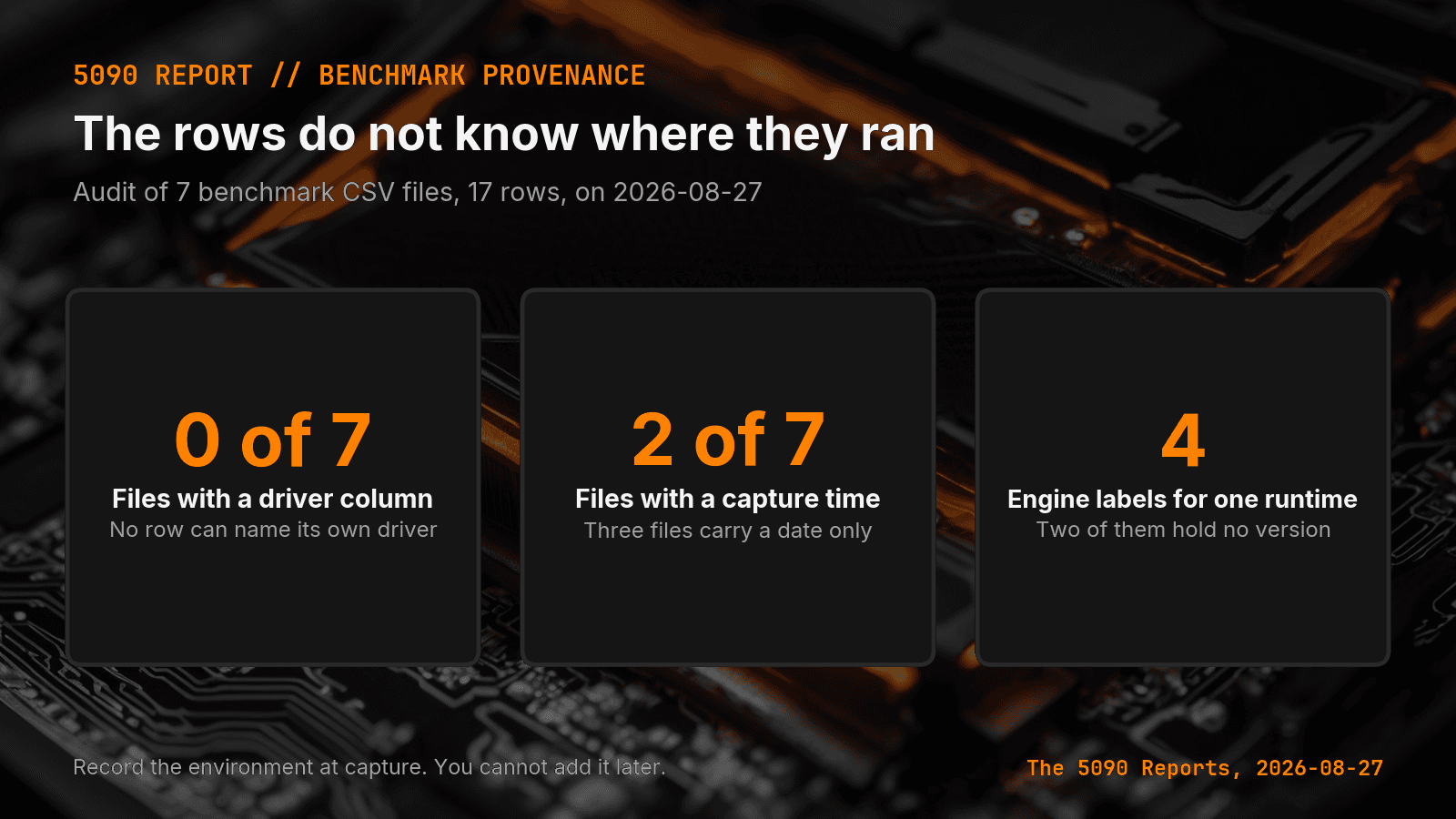
The short answer: Seven benchmark CSV files in my RTX 5090 notebook hold 17 rows, and none of the seven has a driver column. Two of the seven record a capture time. Three files carry a date and nothing finer. Two files carry neither a date nor a capture time. A row that did not save its own environment cannot support an environment claim later, and nvidia-smi output from 2026-08-27 is not a substitute.
Canonical URL: https://bmdpat.com/blog/local-llm-benchmark-row-missing-driver-version-2026
What did the file audit find?
I read every CSV in the RTX 5090 benchmark notebook on 2026-08-27 and checked the headers, not the numbers.
Seven files. Seventeen rows. Zero driver columns. Two files carry a captured_at field. Three files carry a date column and nothing finer. Two files carry neither. The header widths run from 9 columns to 17, so the files do not even agree on what a row is.
The engine column is the part that surprised me. One runtime appears under four labels across the seven files: Ollama 0.22.1, Ollama 0.31.1, ollama+code_verifier, and plain ollama. Two of those four hold a version. Four files use the bare word.
Why does a missing driver column matter?
I wrote earlier that a GPU driver is not a local LLM benchmark. That post argued a driver number printed in a report header does not show the driver changed model speed. This is the hole underneath it.
The report header is written when the report runs. The row is written when the test runs. On 2026-08-27 the header would say driver 610.88, because that is what nvidia-smi prints on this box right now. The June row ran on whatever driver was installed in June, and nothing recorded it.
So the header number binds to the report date and to nothing else. Copy it onto an older row and you have invented a fact.
Which version is the runtime actually running?
I ran ollama --version on the same box. It printed ollama version is 0.31.2 and then warned client version is 0.32.1.
Two answers, one machine, one command. On 2026-08-27 the server answering requests is on one version and the CLI I typed is on another. Two of my seven files did record a version, and they read Ollama 0.22.1 and Ollama 0.31.1, so at least three server builds have touched this notebook. A column that says ollama cannot tell those apart, and the difference is the kind that moves results. Runtime releases change defaults, and I keep a compatibility check between Ollama and llama.cpp for that reason.
Record the server version. The client version is the one you can read most easily and the one that did no work.
What four fields does every row need?
Four fields, written by the collector at capture time, never typed by hand later:
- Runtime version at capture. The server build that answered the request.
- Driver version at capture. Read from
nvidia-smiin the same run, not the same week. - GPU name at capture. My fleet has more than one card, so the row must say which one.
- Capture timestamp with timezone. A date is not enough when a driver updates midday.
None of these needs a new tool. Each is one command in the collector that already writes the row.
What do I do with the 17 rows I already have?
Do not backfill them. Writing 610.88 into a June row would make the file look complete and make the record false.
Mark them instead. I am adding an env_provenance field with the value unknown on every existing row. Those rows still hold their measured numbers, and they still support a narrow benchmark decision inside the file that produced them. What they cannot do is join a claim about a driver, a runtime release, or a card.
That is a real loss. Seventeen rows of measured work now sit outside every environment question I might want to ask. You pay for the missing column on the day you need it, which is always later.
How do I stop this from happening again?
Move the fields out of the writer's hands and into the collector. The script that calls the API is the only thing that knows the truth at the moment of the run.
Then fail the run when a field is empty. An empty driver column is not a small gap in a spreadsheet. It is a row that will look usable in six weeks and will not be.
Accompanying prompt
What the prompt does: It checks a benchmark file for the environment fields a row needs before that row can support any hardware or runtime claim.
Copy/paste this prompt:
Copy-ready prompt
Paste the exact block into your coding agent.
No article chrome, no footnotes, no formatting drift.
This prompt and every other one we publish live in the free prompt library.
Copy the block above.
Get the next measured local AI build note from The 5090 Reports.
FAQ
What did the file audit find?
On 2026-08-27, seven files and 17 rows had zero driver columns. Two files carry captured_at, three carry a date column and nothing finer, and two carry neither. One runtime appears under four labels: Ollama 0.22.1, Ollama 0.31.1, ollama+code_verifier, and plain ollama.
Why does a missing driver column matter?
The report header is written when the report runs. The row is written when the test runs. Copying today's nvidia-smi driver 610.88 onto a June row invents a fact.
What four fields does every row need?
Runtime version at capture (the server build that answered the request), driver version at capture from nvidia-smi in the same run, GPU name at capture, and a capture timestamp with timezone.
Get the Local AI Field Kit
Four copy-ready tools now, then one evidence-backed Local AI Lab Note on Friday when there is something worth sharing.
Try the free agent run check firstGet the requested artifact now, then at most one evidence-backed Local AI Lab Note on Friday when there is something worth sharing. One-click unsubscribe. No sponsored placements. Privacy.
Patrick Hughes
I build BMD and publish measured AI runs, failure reports, and reusable checks. Nashville, Tennessee.
More writing
- 5 min
Preflight Local AI Before You Benchmark a Model
My local AI test stopped before model load because the runtime could not build. This preflight keeps setup failures out of benchmark results.
- 5 min
Long Context Cost Me VRAM, Not Tokens a Second
A 94x bigger prompt cost llama3.1:8b only 9.7% of its generation rate. VRAM rose 656 MiB, but num_ctx doubled in the same step. Budget memory first.
- 5 min
One model logged 14.5 and 6,178 prompt tokens a second
gemma4:26b read 53 prompt tokens at 14.5 tok/s and 4,470 at 6,178.9 on the same RTX 5090 run set. Prompt speed is not one number.
- 5 min
Your Local LLM CSV Needs a Schema Version
I audited seven RTX 5090 benchmark CSVs and found four header widths, three power schemas, and no schema version. Here is the row contract I use now.
- 5 min
The 26B Model Hit the Cap. The 8B Finished.
Same code task, same 512-token cap. Ollama's done_reason showed one local model finished and one got cut off. Tokens per second hid it.